When and how should I create teams in Calendesk Chat?
A team is a group of agents you assign conversations to together, instead of one person at a time. If you answer the chat alone or with one other person, you don't need teams. They start to make sense at around three people, when different people handle different things. For example, the front desk answers questions about appointments and payments, and the therapists answer questions about therapy.
How do you create a team?
The chat administrator creates teams:
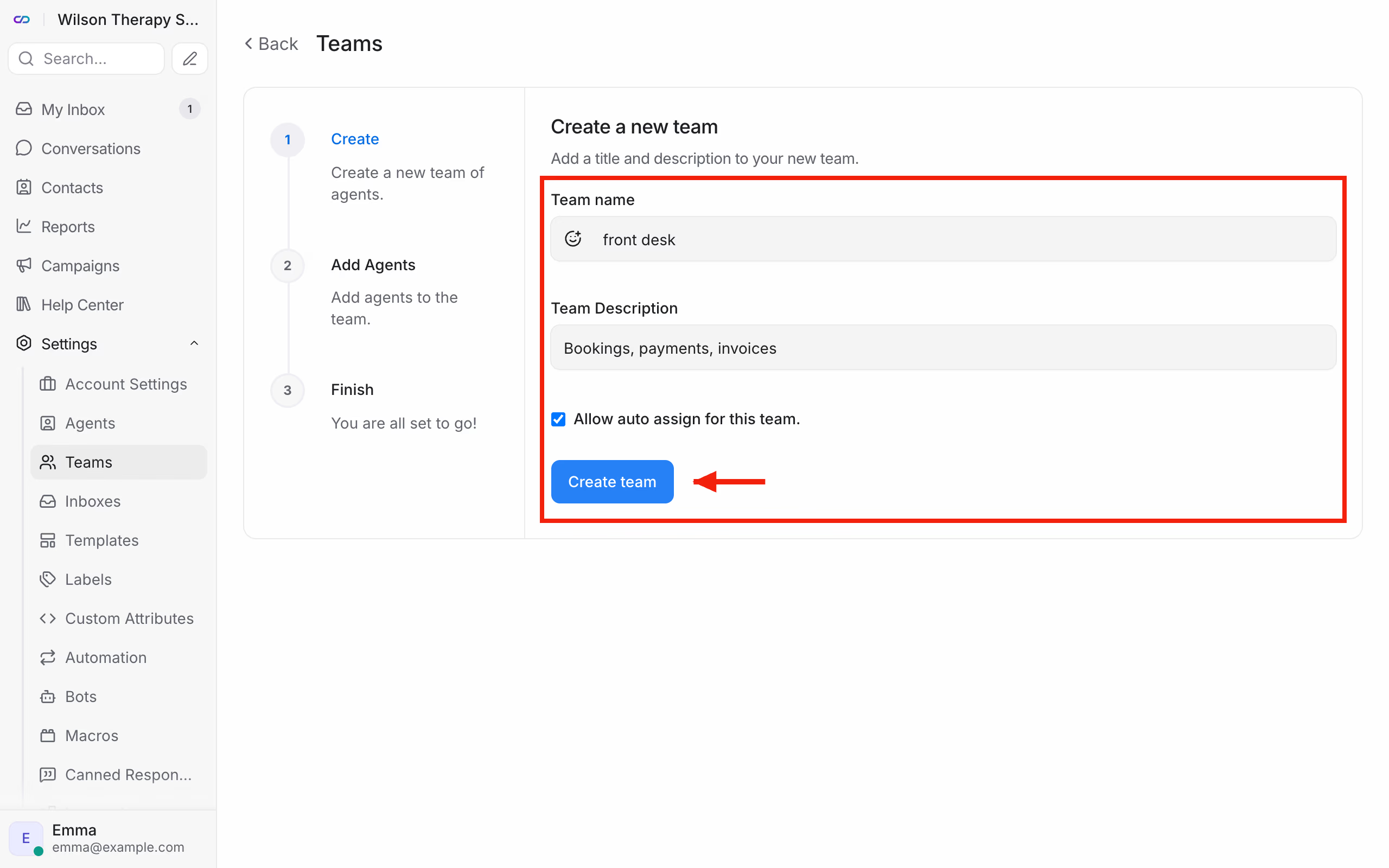
- go to Settings → Teams and click Create new team,
- enter the Team name, for example "front desk" (the chat saves team names in lowercase), and a short Team Description,
- tick Allow auto assign for this team. if a conversation handed to the team should go straight to one of its members,
- click Create team.
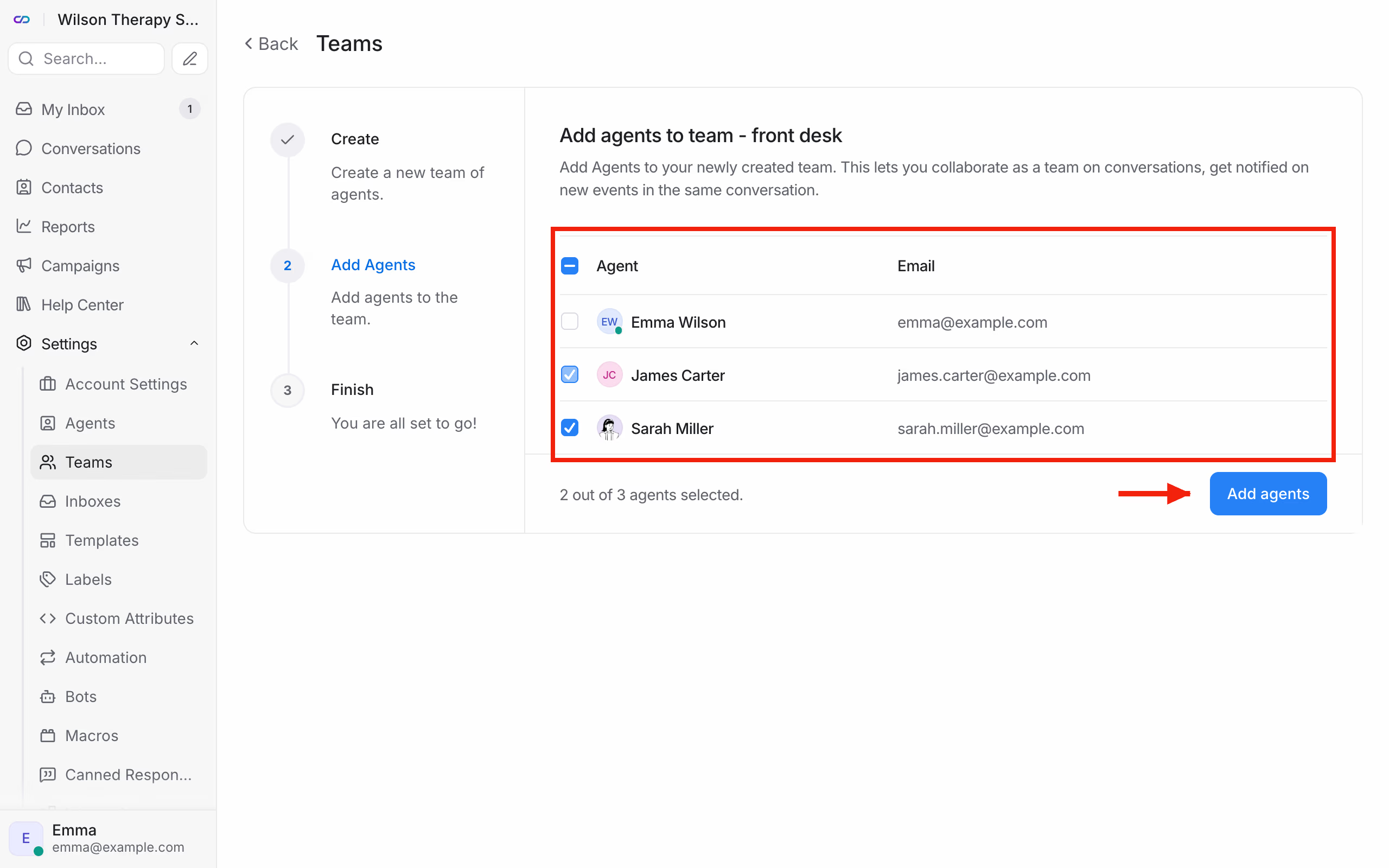
In the next step, tick the agents who belong to the team and click Add agents. One person can be in several teams.
How do you hand a conversation to a team?
In an open conversation, in the right panel, under Conversation Actions, pick the team in the Assigned Team field. You'll find a team's conversations in the left menu, in the Teams section under Conversations.
Conversations can also go to a team by themselves. Set that up with an automation rule using the Assign a Team action, described in How do I set up automation in Calendesk Chat?
Frequently asked questions (FAQ)
Can a team have different business hours from everyone else?
No. You set business hours for the inbox, which means for the whole chat on a given website. We describe them in How do I set up the chat's look, greeting and business hours?
Does a team take an extra slot in the add-on?
No. You only pay for agents. You can have as many teams as you need.