How do I set up automation in Calendesk Chat?
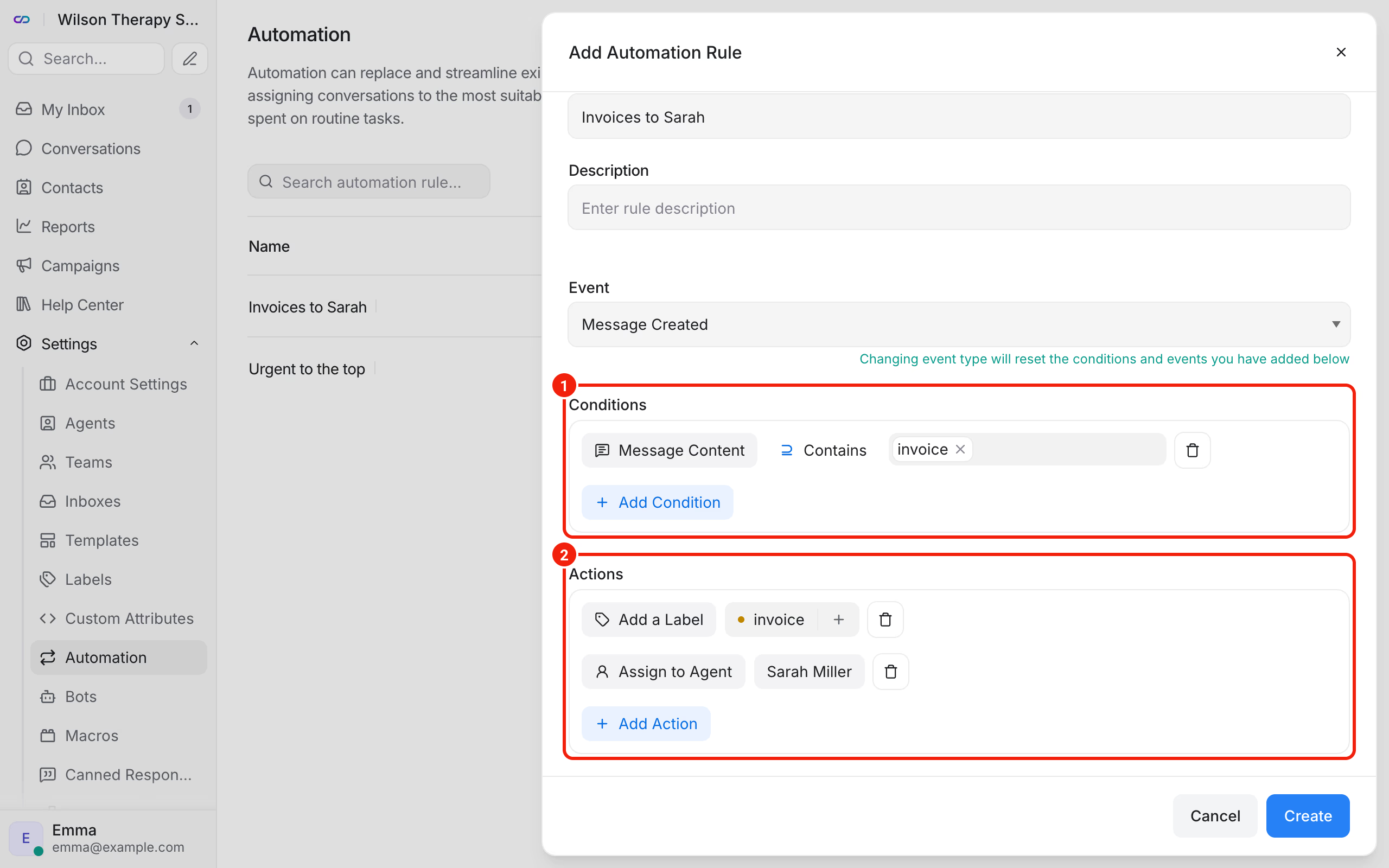
Automation is a set of rules that work without you. Each rule has three parts: an event (when the rule checks), conditions (what it applies to) and actions (what it does). Example: when a client types the word "invoice", the conversation gets the label invoice and goes to the person who handles billing.
The chat administrator creates the rules.
How do you create a rule?
- In the chat dashboard, go to Settings → Automation and click Create Automation.
- Enter the Rule Name and a short Description.
- In the Event field, pick the moment the rule checks, for example Conversation Created or Message Created.
- In the Conditions section, set when the rule should fire, for example Message Content, then Contains and the word "invoice". Add another condition with Add Condition.
- In the Actions section, choose what should happen. Add another action with Add Action.
- Click Create.
The rule works straight away, for new events. It doesn't change conversations from before you created it.
Which actions can you choose?
Among others: Assign to Agent, Assign a Team, Add a Label, Remove a Label, Send a Message, Add a Private Note, Change Priority, Send an Email to Team, Mute Conversation, Snooze Conversation and Resolve Conversation.
What rules does a therapy practice need?
- Invoices to one person: event Message Created, condition Message Content "invoice", actions Add a Label
invoiceand Assign to Agent. - Urgent matters to the top of the list: event Message Created, condition Message Content "urgent", actions Change Priority and Add a Label
urgent. - Conversations from your second website to a second team: event Conversation Created, condition Inbox, action Assign a Team. Handy when you have the chat on two websites.
Frequently asked questions (FAQ)
Can a rule resolve a conversation where the client hasn't written for days?
There's a separate setting for that: Settings → Conversation Workflow → Auto-resolve conversations. We describe it in How do I handle conversations in Calendesk Chat day to day?
Do I set up the client greeting in automation?
You don't have to. You set the greeting message in your website's inbox, on the Settings tab, with Enable channel greeting.
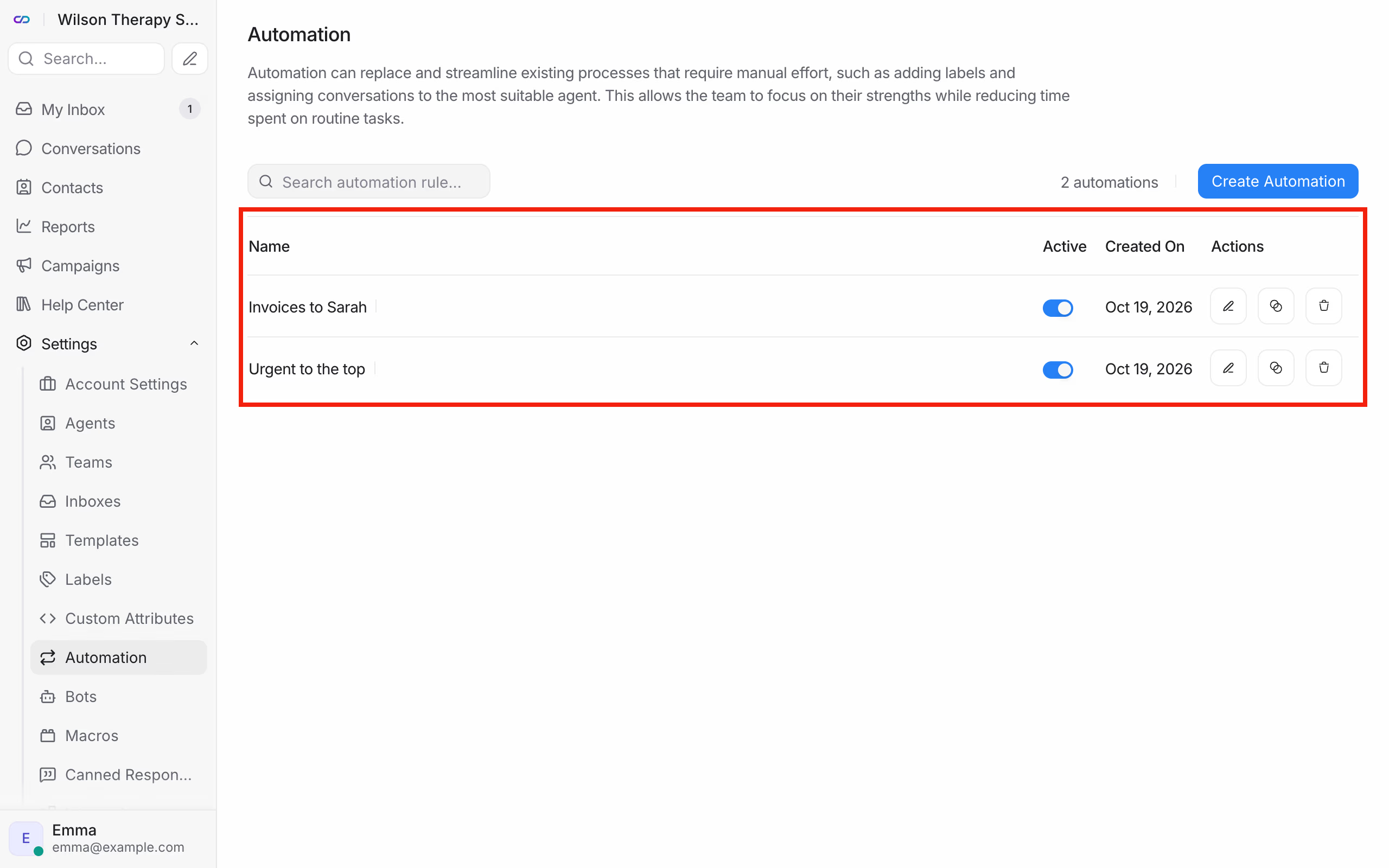
How do I switch a rule off without deleting it?
On the list in Settings → Automation, turn off the switch next to the rule.