Which integrations does Calendesk Chat have?
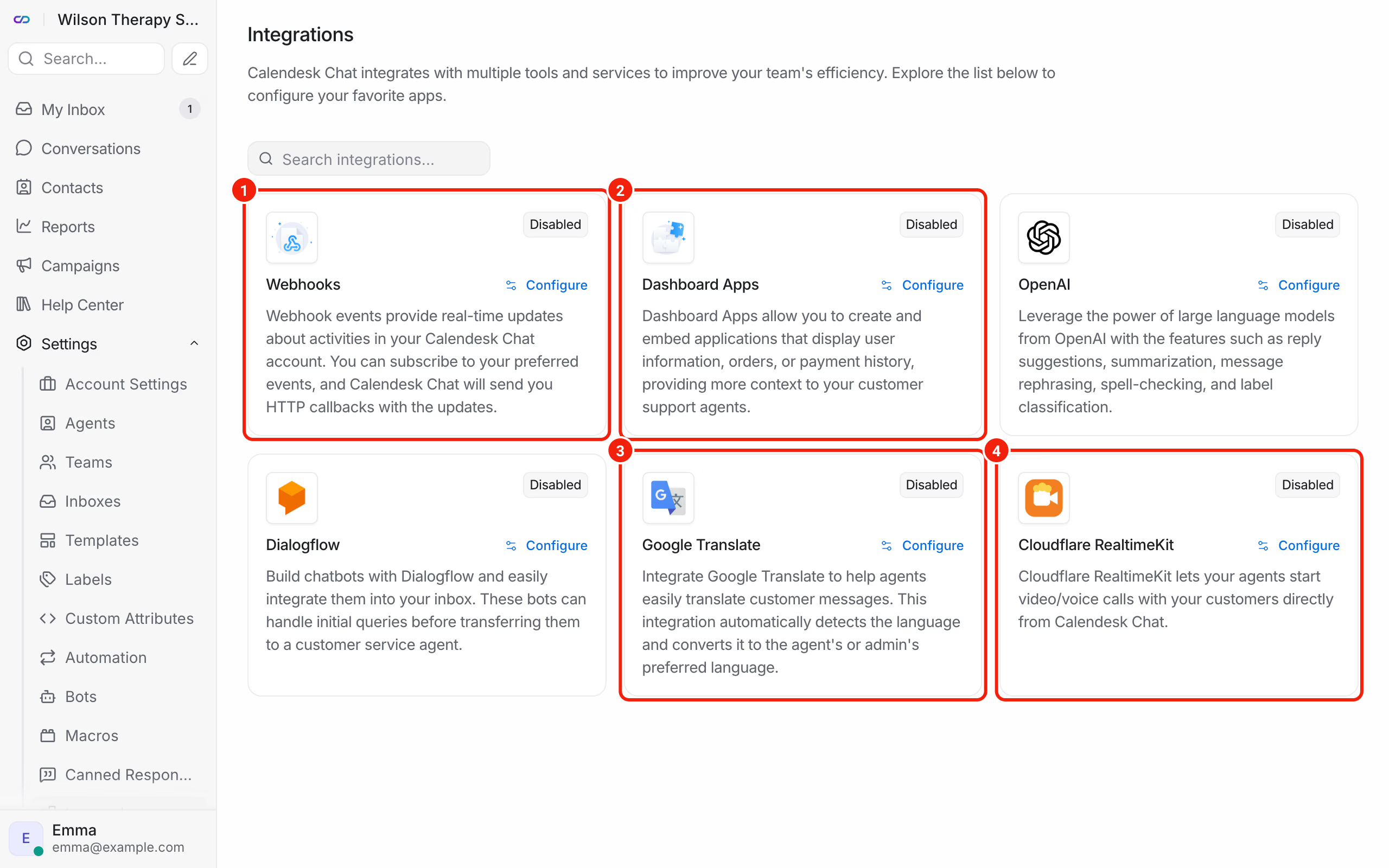
Integrations connect the chat dashboard to other tools. You'll find them in the chat dashboard under Settings → Integrations. The chat administrator sets them up: click Configure or Connect on the integration you want.
What do webhooks do?
A webhook sends information to your system when something happens on the chat, for example when a client starts a conversation. It's a tool for businesses with their own system and a developer. Details in How do I connect my own system to Calendesk Chat with webhooks and bots?
What are Dashboard Apps?
They let you embed a page from your own system in the chat dashboard, like a client card. The agent sees it next to the conversation and doesn't have to switch windows. Click Add a new dashboard app, enter a Name and the page address in the Endpoint field. Your developer has to build that page.
When does Google Translate help?
When clients write to you in other languages. On the client's message you choose Translate and read it in your own language.
To connect it, you need your own Google Cloud project with translation turned on. In the form, you enter the project ID (Google Cloud Project ID) and paste in the key file (Google Cloud Project Key File). Google charges for the translations on your account.
What is Cloudflare RealtimeKit for?
It lets you start a video or voice call with a client right from the chat conversation. The client gets a link in the chat window and joins the meeting with it.
To connect it, you need a Cloudflare account with the RealtimeKit service. In the form, you enter the Cloudflare Account ID, the RealtimeKit App ID and the Cloudflare API Token.
What should you check before you connect an outside service?
Google Translate and Cloudflare RealtimeKit run on your own account with those providers. The text of messages you translate goes to Google, and video calls go through Cloudflare. Check that this fits your company's data protection rules, especially if you talk to patients.
Frequently asked questions (FAQ)
I can't see the integration I need. What should I do?
Write to us at [email protected] and tell us which tool you want to connect the chat to and what for. If you have a developer, check whether webhooks will do the job.
How do I disconnect an integration?
In Settings → Integrations, open the integration and click Disconnect, or delete its entry with the trash icon.