How do macros work in Calendesk Chat?
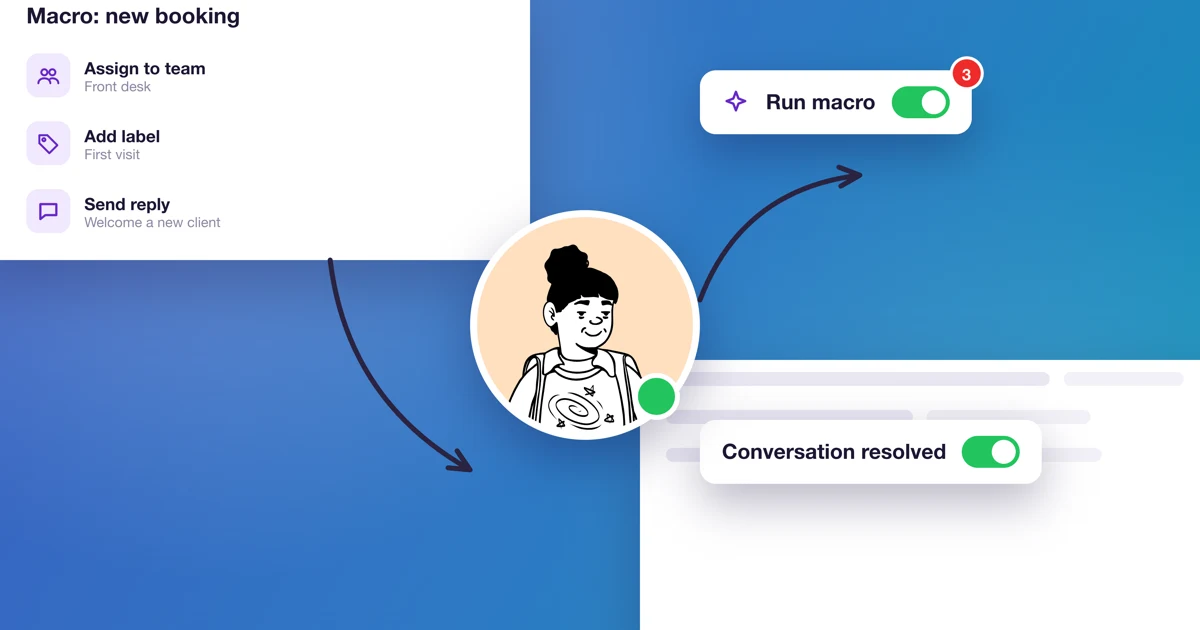
A macro is a set of actions you run with one click in a conversation. Say a client cancels an appointment. Instead of typing a reply, adding a label and resolving the conversation, you click one macro, "Cancel appointment", and it all happens by itself.
Macros differ from canned responses because they do more than insert text. If all you need is a message template, a canned response is enough.
How do you create a macro?
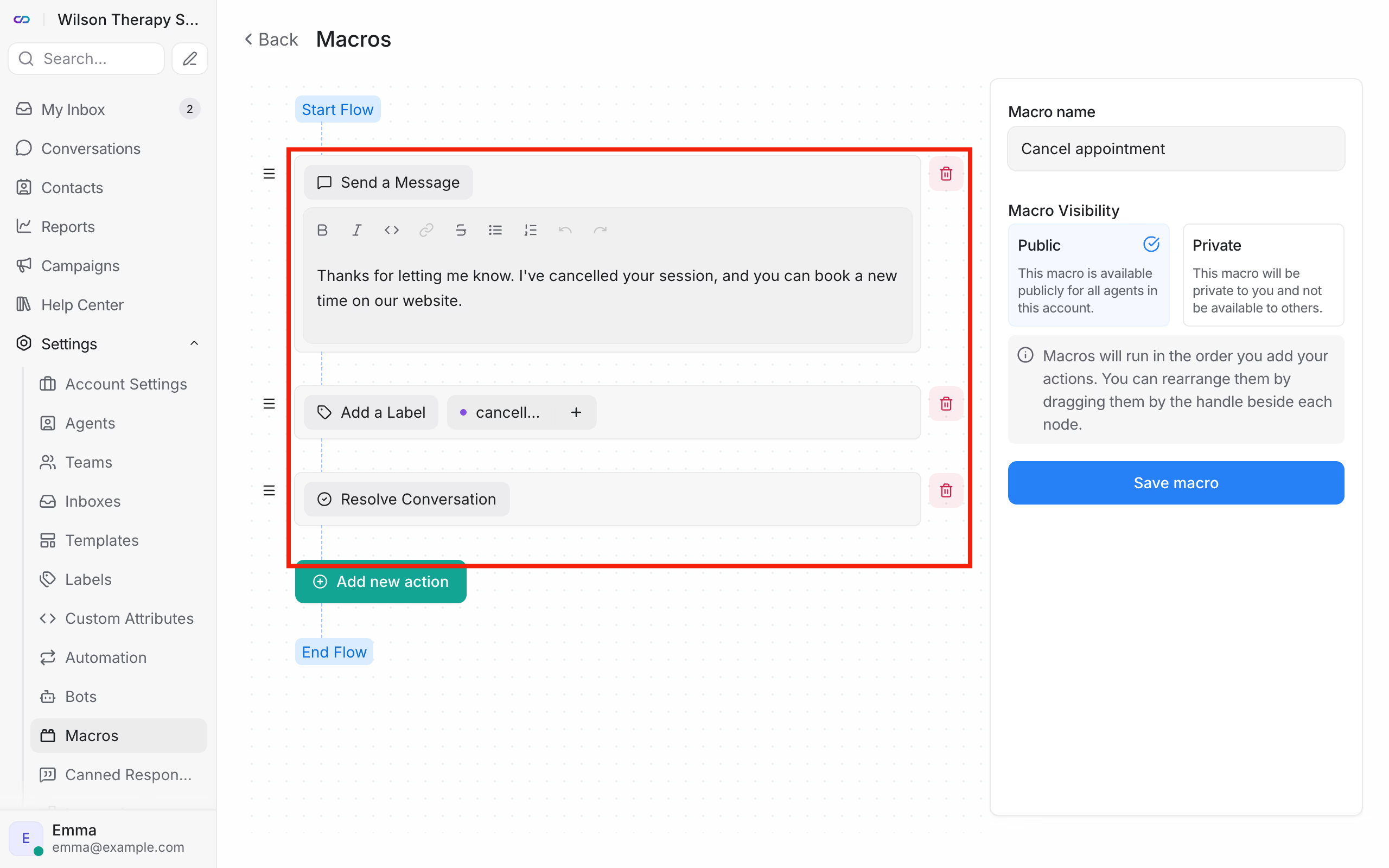
- In the chat dashboard, go to Settings → Macros and click Add a new macro.
- Enter the Macro name, for example "Cancel appointment".
- Add the actions in order. They run in that order, and you change it by dragging an action by its handle.
- Choose the Macro Visibility: Public (for the whole team) or Private (just for you).
- Click Save macro.
Only the chat administrator creates and edits public macros. An agent can save a private macro that only they can see.
The actions you can pick include Send a Message, Add a Private Note, Add a Label, Remove a Label, Assign an Agent, Assign a Team, Change Priority, Snooze Conversation and Resolve Conversation.
How do you run a macro in a conversation?
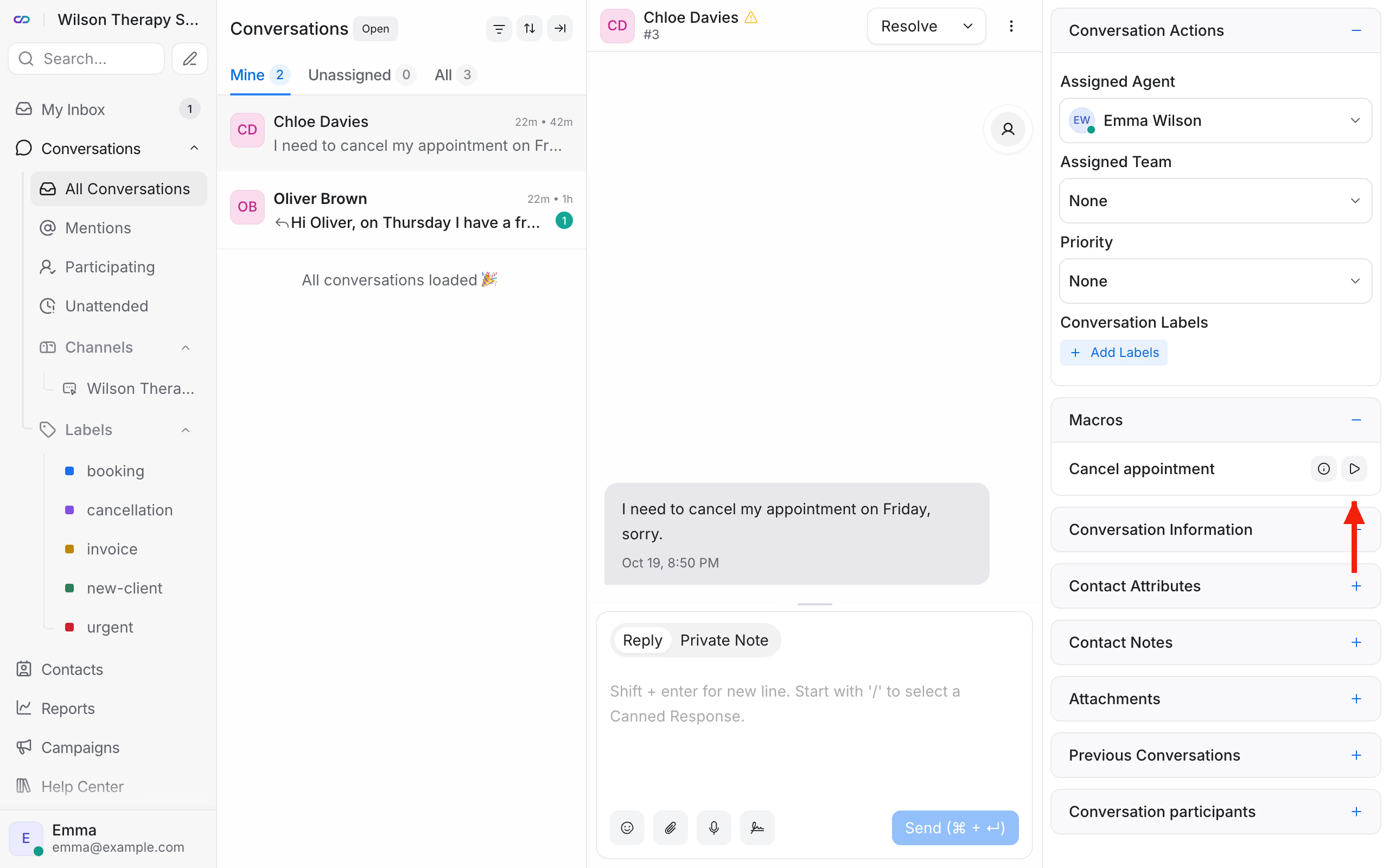
Open the conversation. In the right panel, expand the Macros section. Next to the macro's name, click the triangle icon, which is the run button. Want to check what it'll do first? Click the round icon next to it. That opens Preview Macro with the list of its steps.
What macros does a therapy practice need?
- "Cancel appointment": a message with the booking link, the label
cancellation, then resolve the conversation. - "Pass to front desk": a private note "Please get in touch about the appointment time", assign to Sarah, the label
appointment. - "Invoice": the message "We'll email your invoice within 2 working days", the label
invoice.
Frequently asked questions (FAQ)
How is a macro different from automation?
You run a macro yourself, with a click in the conversation. Automation works without you, when a specific event happens, for example a client starts a conversation. More in How do I set up automation in Calendesk Chat?