How do I use canned responses in Calendesk Chat?
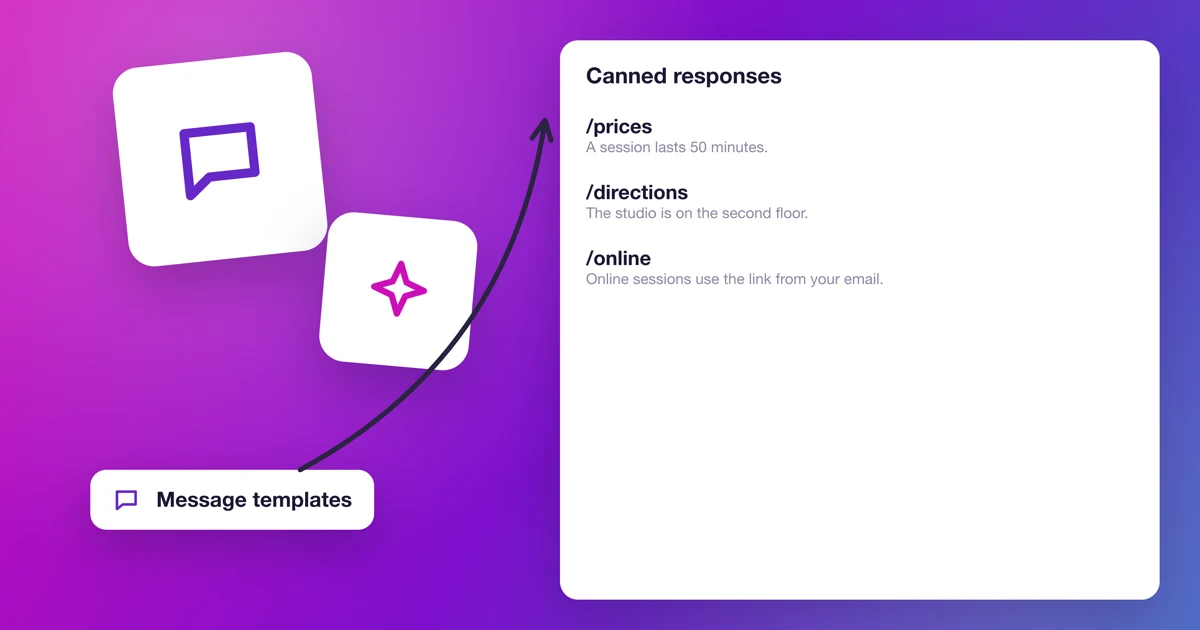
The same questions come up on the chat every day: how much is a session, how do I get there, how do I cancel? Canned responses are templates you insert in a conversation with a few keystrokes. You write a good answer once, then drop it in within two seconds.
How do you add a canned response?
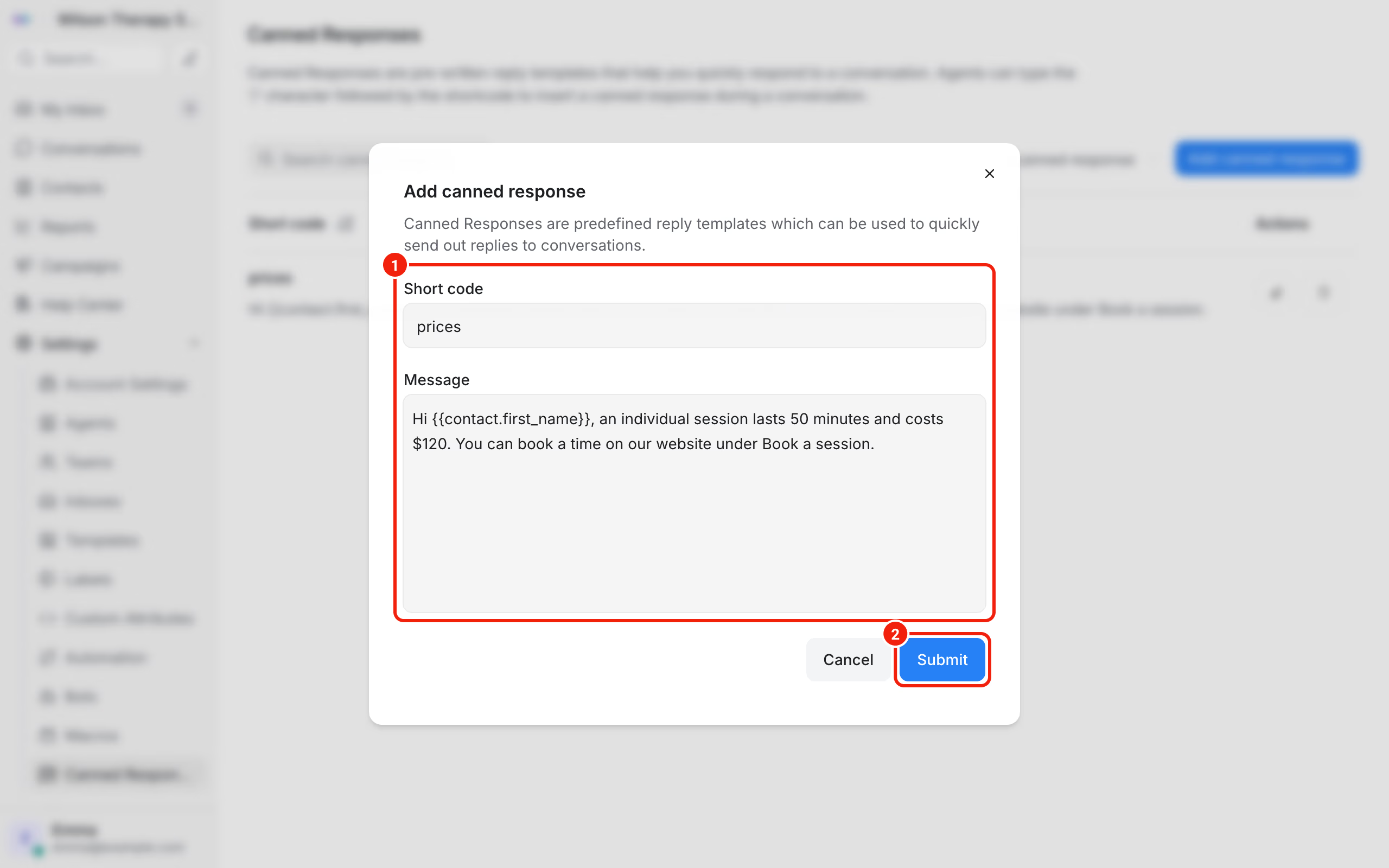
- In the chat dashboard, go to Settings → Canned Responses.
- Click Add canned response.
- In the Short code field, type a short word that calls up the template, for example
prices. - In the Message field, type the reply.
- Click Submit.
Any agent can add canned responses, not just the administrator. They're shared by the whole team: a template one person adds, everyone sees.
How do you insert the client's name?
In the template text, type {{ and the dashboard suggests a list of variables. The ones you'll use most:
{{contact.first_name}}: the client's first name,{{agent.name}}: the full name of the person replying.
When you send the message, the variable turns into the real details. The client's name appears if they gave it, for example in the pre chat form.
How do you use a canned response in a conversation?
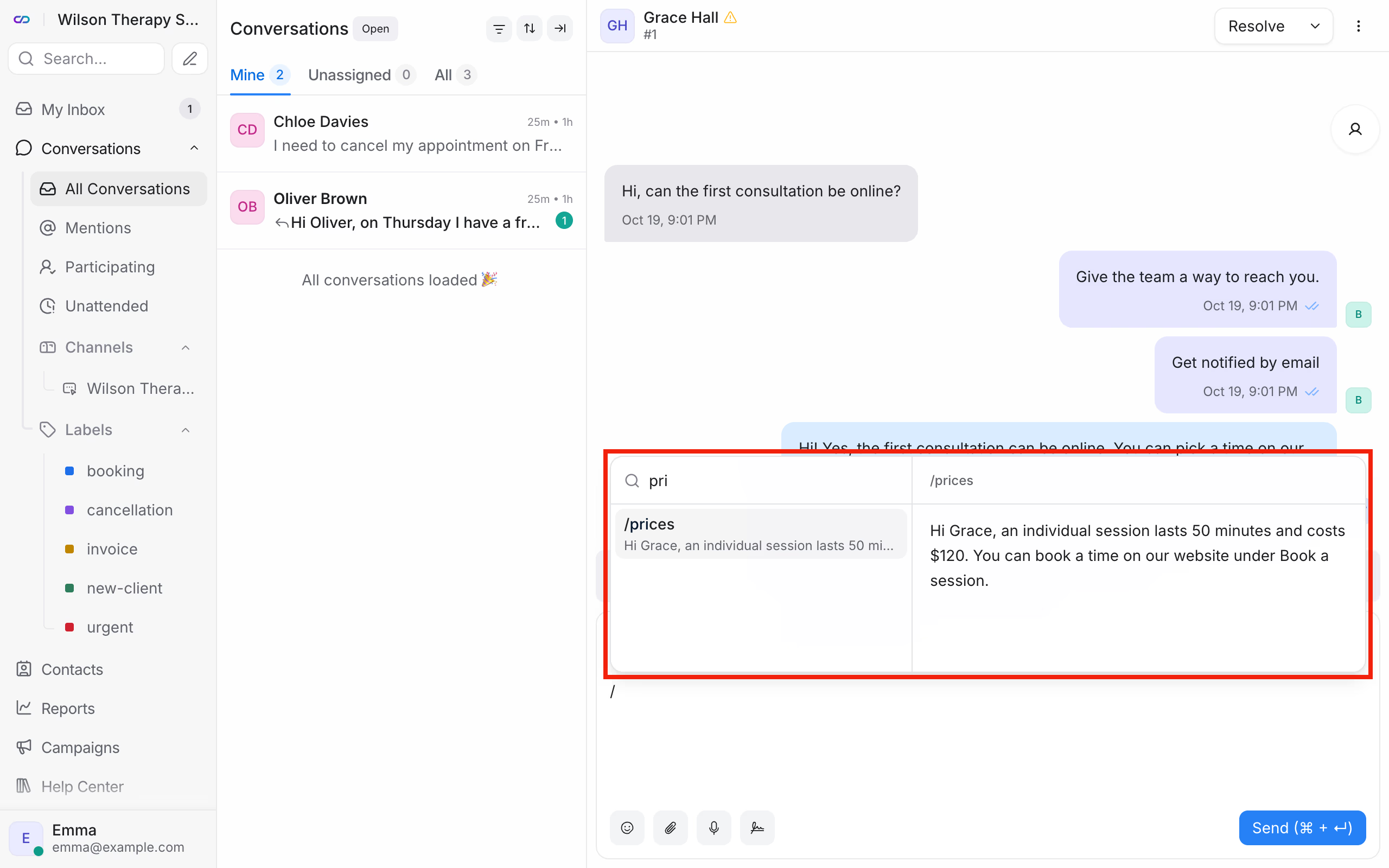
In the message box, type / and the first letters of the short code, for example /pri. Pick the template from the list. The text drops into the box, and you can still edit it before you send.
What templates should you start with?
Canned responses a therapy practice can use from day one:
hours: "We're open Monday to Friday, 9 am to 5 pm. You'll see the free slots under Booking on our website."prices: session prices and how long each session lasts.directions: the practice address, parking, which floor, the door code.cancellation: how to cancel or move an appointment, and the deadline for doing it.online: what an online session looks like and what the client needs for it.
Write them the way you talk to clients. Short, friendly, one concrete piece of information each.
Frequently asked questions (FAQ)
How do I edit or delete a canned response?
In Settings → Canned Responses, click the edit or trash icon next to the template.
Can an agent have private templates?
No. Canned responses are shared by the whole team. If an agent needs their own set of actions, they can save a private macro, described in How do macros work in Calendesk Chat?