How to sell subscriptions and service packages on your Calendesk website?
Subscriptions as part of your offer
To sell services as a subscription or a package on a website made in Calendesk, you first need a website built in the Calendesk website builder. Where you present your offer or price list, describe the services in a section that has a button leading to the subscription purchase.
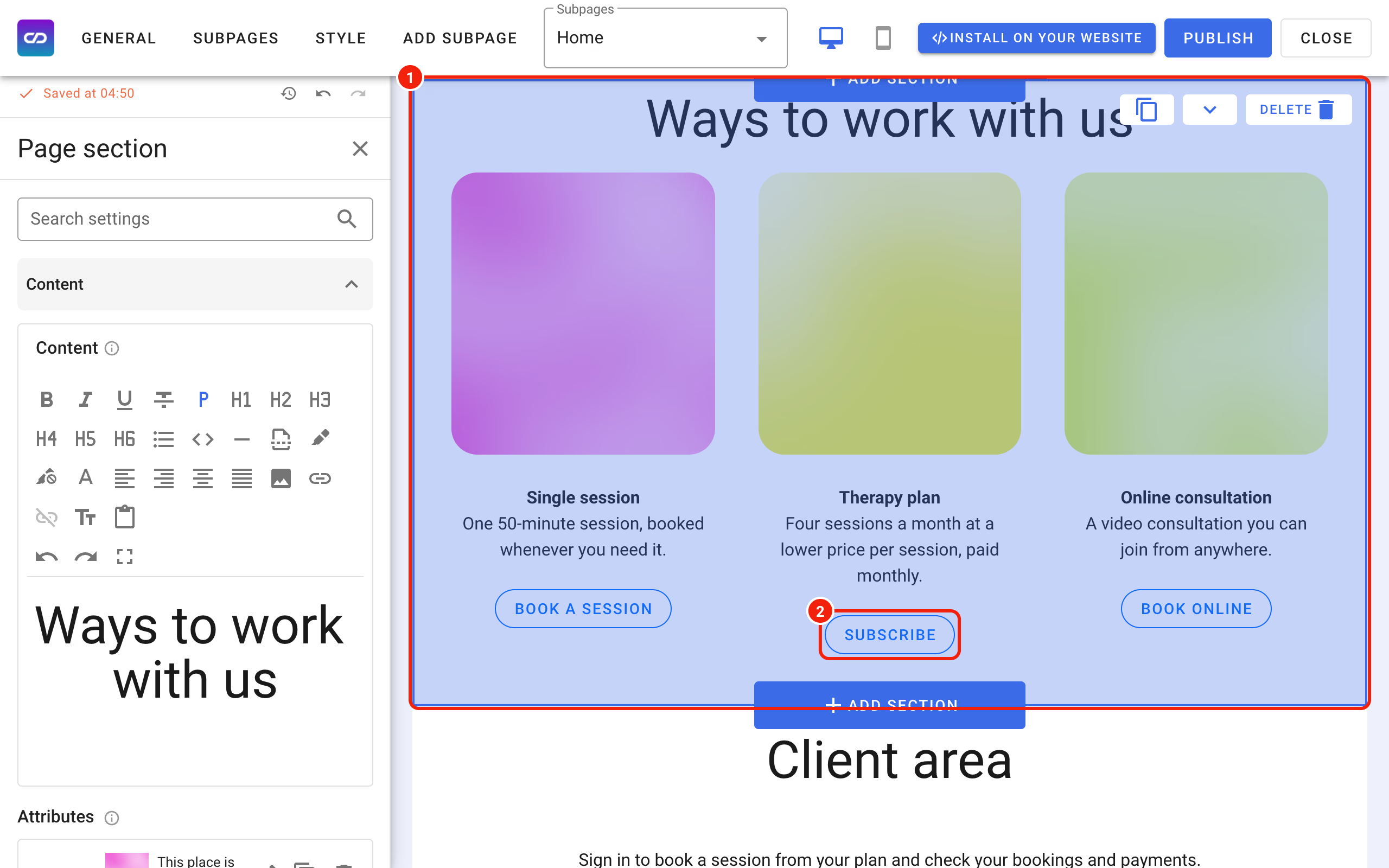
Once the section is in place, make sure your customers can tell exactly which services the subscription covers, how much the package costs, how long it lasts and how often they will be charged.
The last and most important step is setting up the button that takes the customer to the payment.
Setting up the button
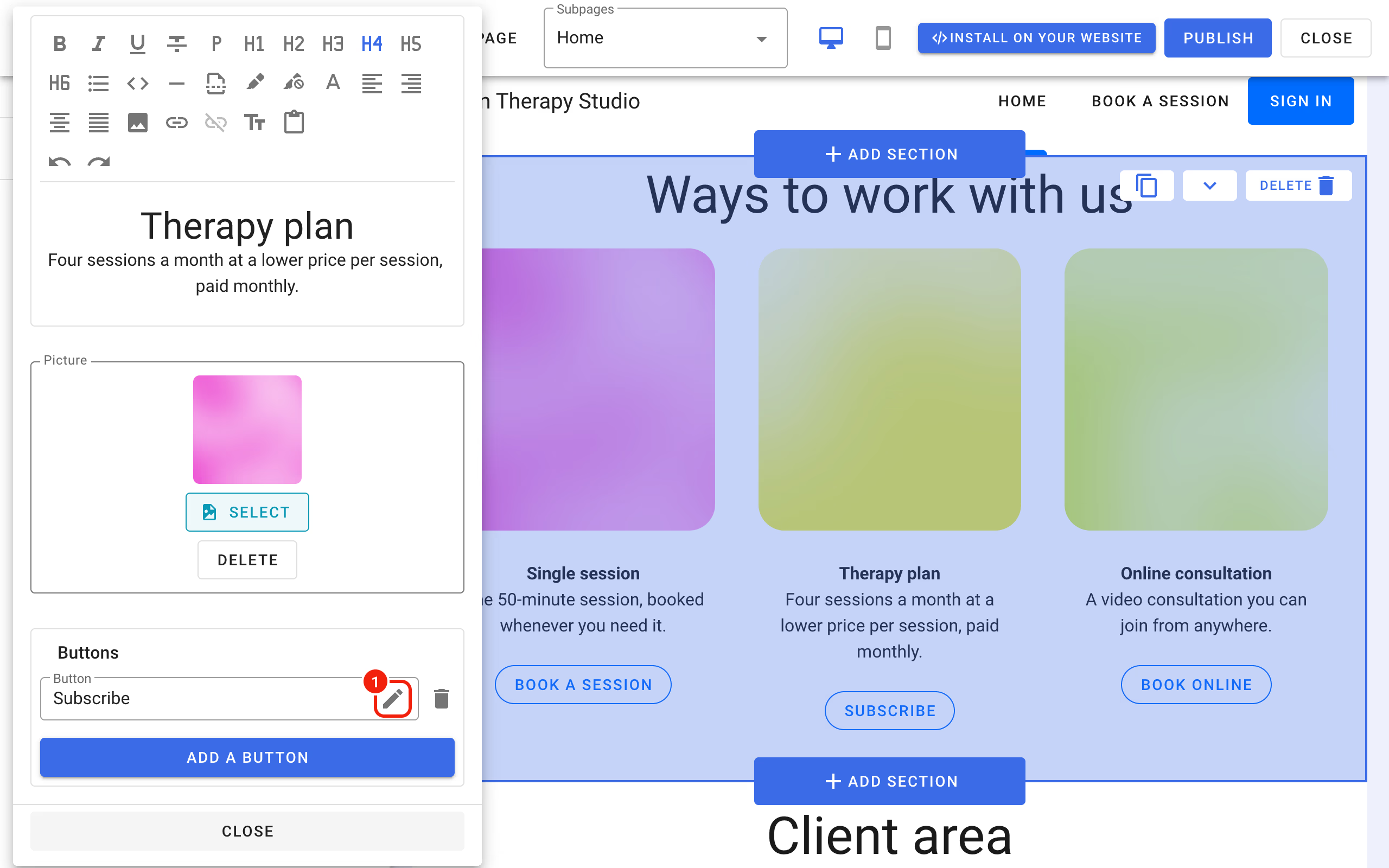
To edit a button, click the section it sits in. In the panel on the left, find the button settings and click the pencil icon next to the button you want to change.
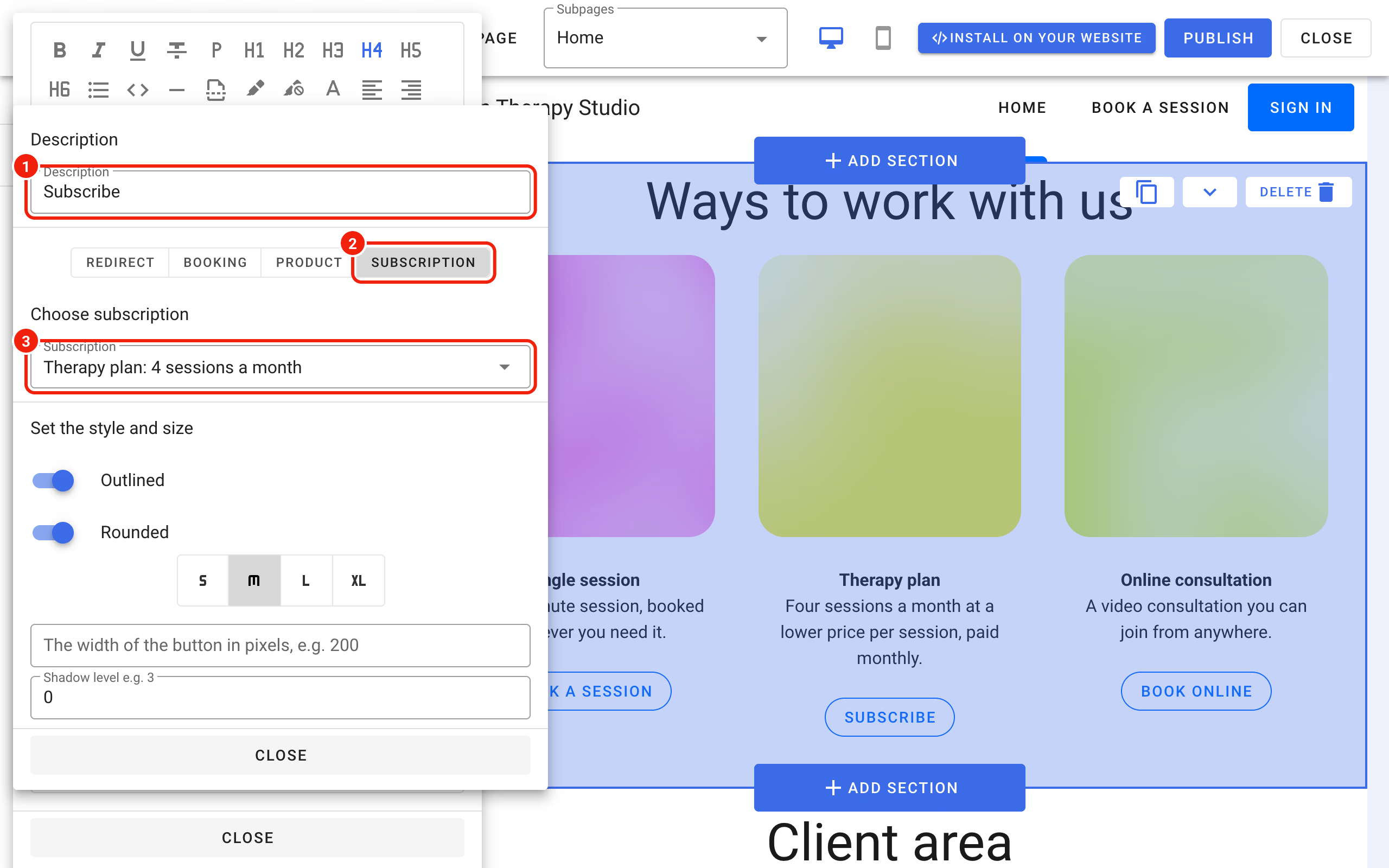
After you click the pencil, set three things:
- the text customers see on the button, in the Description field,
- what the button does: choose the Subscription type,
- which subscription it sells, in the Choose subscription field. You set up subscriptions in the Calendesk panel, see How to offer subscriptions or one-time payments for your customers?
What your customers see
A customer who clicks a button linked to a subscription goes straight to the payment.
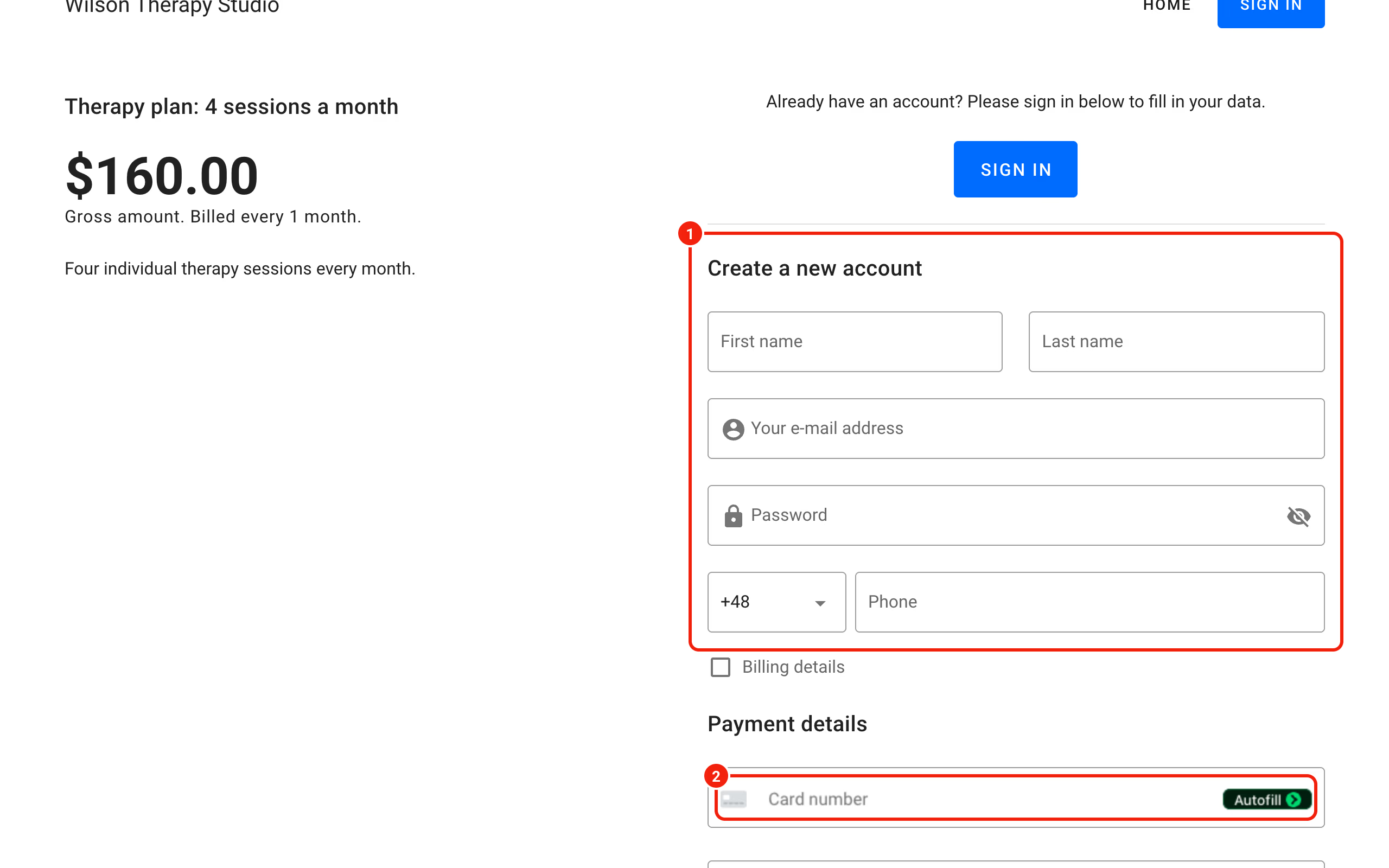
To buy, the customer needs an account. A new customer creates one, a returning customer signs in, and then both enter their payment details. The purchase is complete once they confirm the payment below the form. If you added a page after successful payment (Page after successful payment) or after a failed one in the subscription settings, Calendesk sends the customer there when the payment ends.