How do I set a daily resource limit and release a resource early?
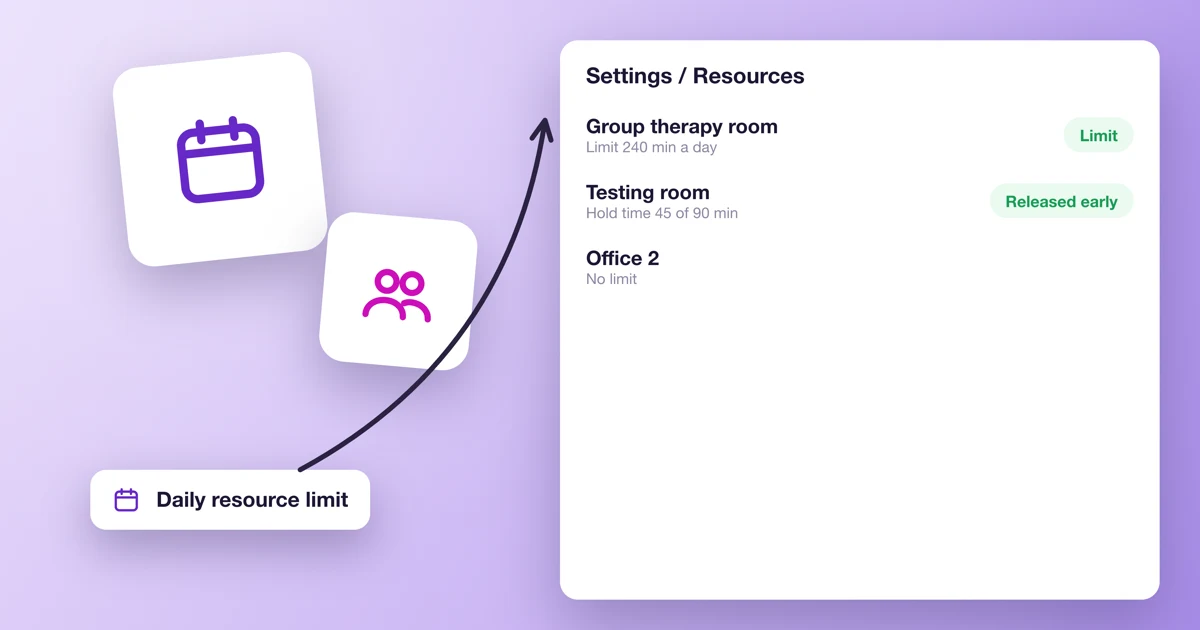
A resource is something a booking needs and you only have so many of: a room, a hall, a piece of equipment. This article covers two settings you can give it:
- a daily limit: how many minutes or how many bookings the resource can take in one day,
- releasing the resource before the booking ends, for services that only need it for part of the appointment.
What resources are and how to add them: What are labels, groups, and resources and how to manage them?
How do I set a daily limit on a resource?
- Go to Settings → Resources and add a new resource or edit an existing one.
- Tick Set a daily limit.
- In the Limit field, enter a number and choose what it counts: minutes or bookings. You can enter 1 to 1440 minutes or 1 to 100 bookings.
- Save the resource.
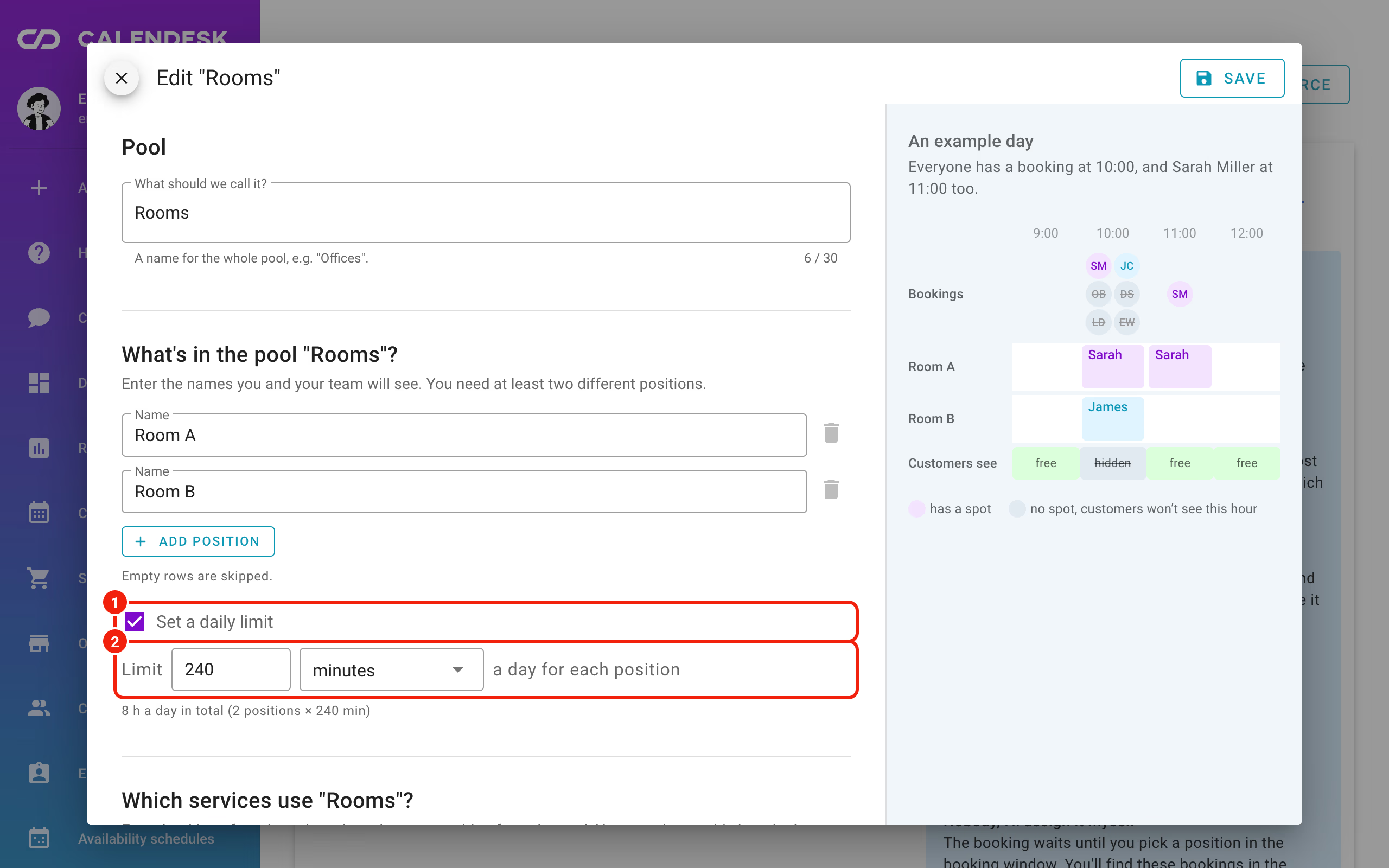
The limit applies to each unit of the resource (for each unit) or each position in a pool (for each position). If you have 2 identical rooms with a 240-minute limit, the panel shows the total under the field: "8 h a day in total (2 positions × 240 min)". The resource list shows the limit next to the name, for example "limit 240 min a day".
At Wilson Therapy Studio, the group therapy room is also used for workshops. It has a limit of 240 minutes a day, which leaves time to clean and set it up.
What counts towards the limit?
- A limit in minutes counts the time bookings hold the resource on that day. If a service releases the resource early, only that shorter time counts. A booking that runs past midnight counts on both days, on each day for the time it runs then.
- A limit in bookings counts each booking as 1, on the day it starts.
- Group sessions: if the resource is set to The whole group takes one place, the group counts once. With Each participant takes one place, every participant counts.
Completed bookings and bookings waiting for payment count too. Canceled bookings don't. A day runs midnight to midnight in your account's time zone.
What happens when the limit runs out?
On your booking site, customers don't see times that would take the resource over its limit. If the service uses a pool, a time stays available as long as one position in the pool has some limit left that day.
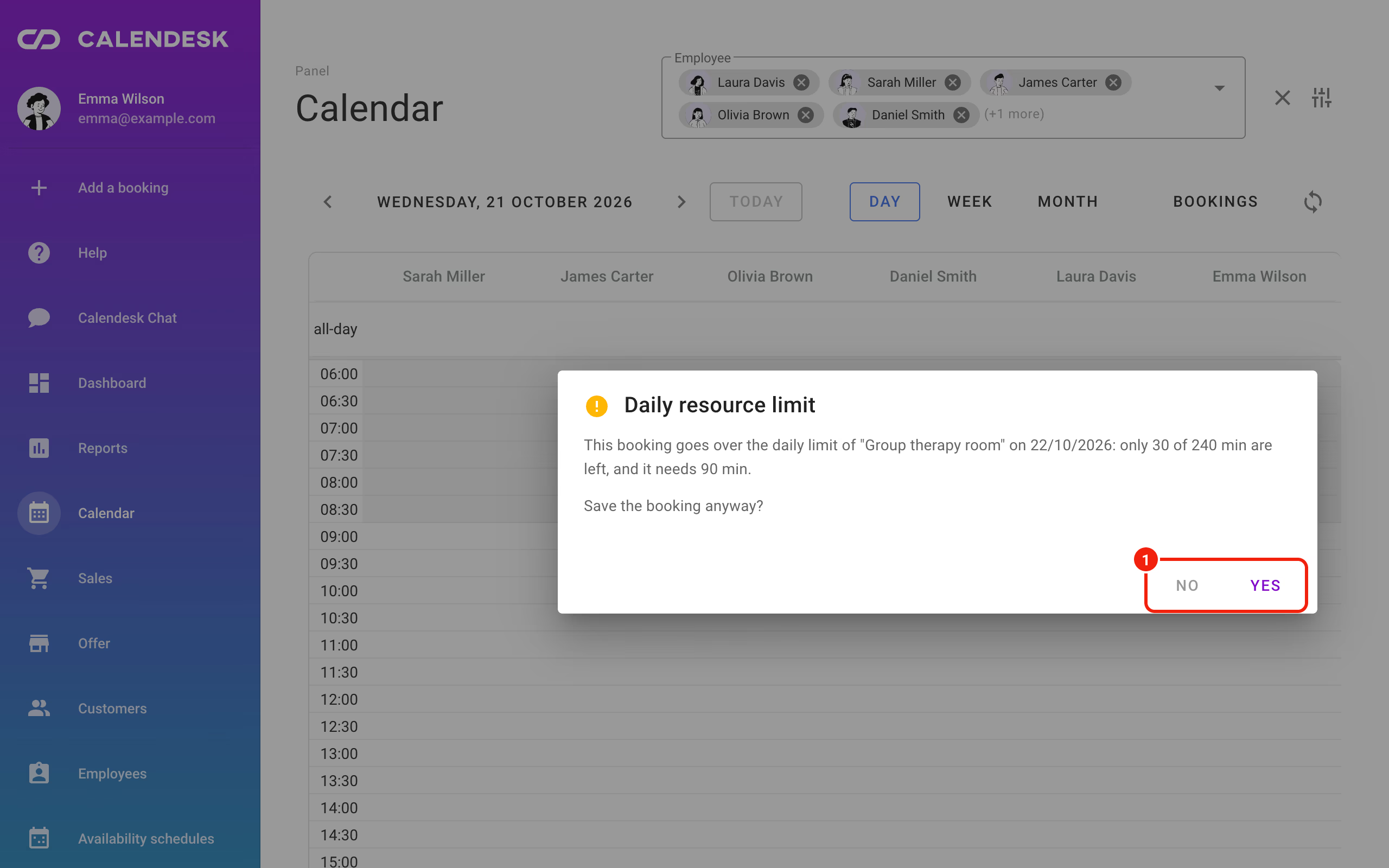
In the panel, you can save a booking over the limit. Before it saves, you see the Daily resource limit window, which says how much of the limit is left and how much this booking needs, and asks Save the booking anyway?. Click Yes to save, or No to go back and pick another time.
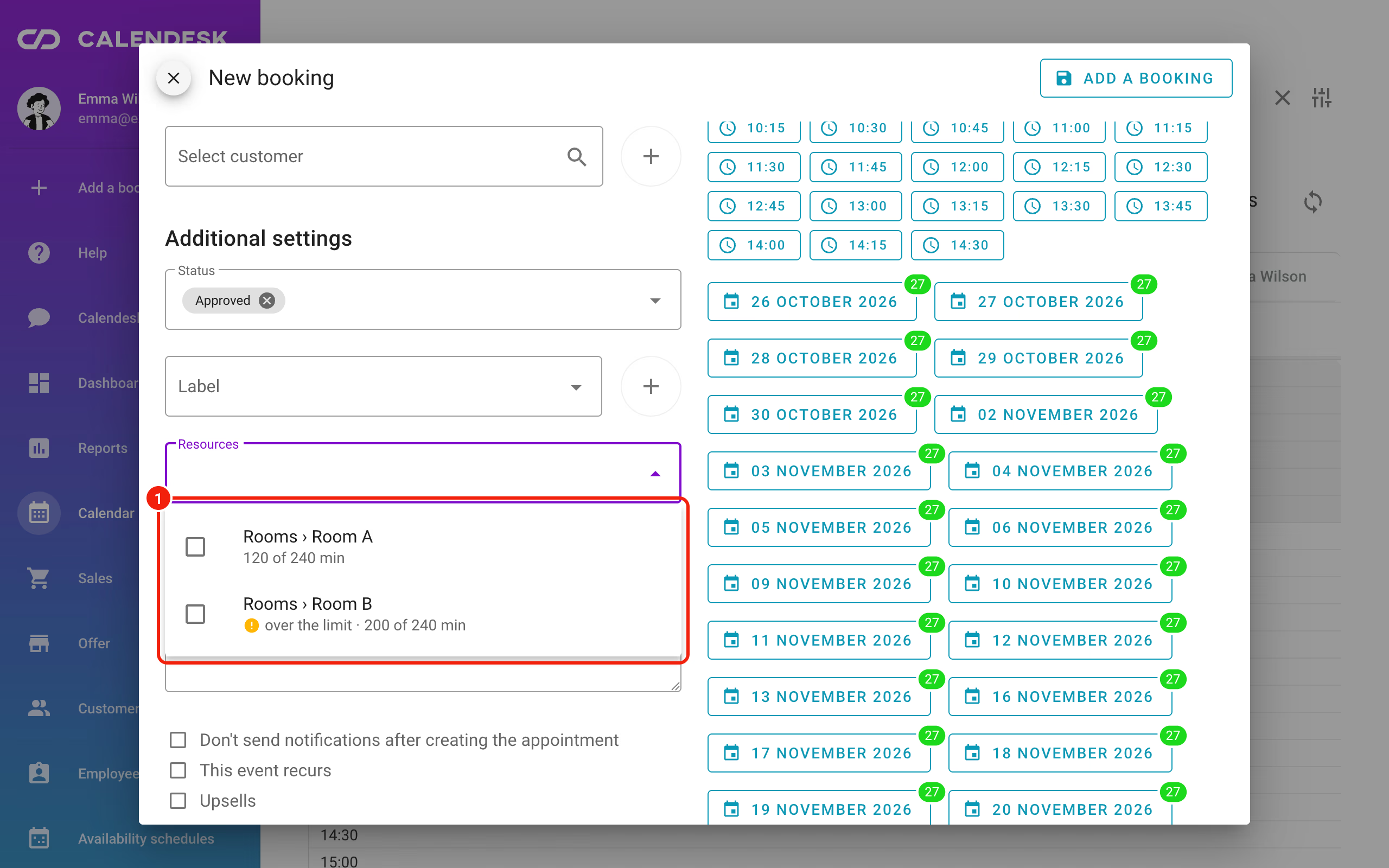
When you pick a pool position for a booking, every position with a limit shows how much of it that day is already taken, for example "120 of 240 min". If this booking would take it over, you see "over the limit".
How do I release a resource before the booking ends?
Some services need a resource for only part of the appointment. Say a 90-minute assessment uses the testing room for the first 45 minutes, and the therapist spends the rest of the session in their own office. To free the testing room after 45 minutes:
- Go to Offer → Services and edit the service.
- In the Resources field, pick the resources the service needs.
- Tick Release resources before the booking ends.
- For each resource, set the Hold time: how long from the start of the appointment the resource stays taken. Whole booking keeps it until the end. The hold time can't be longer than the service.
- Save the service.
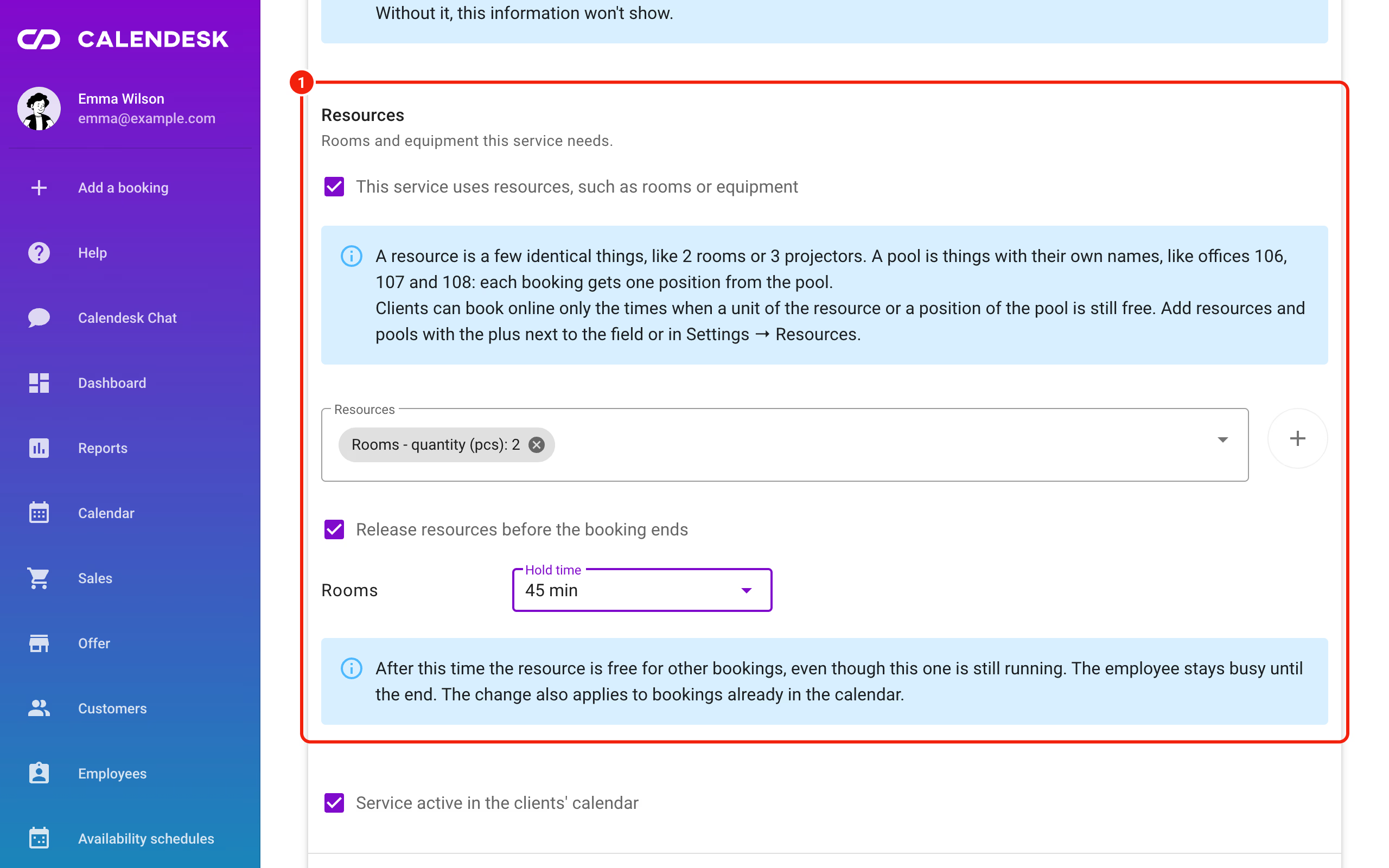
After that time, the resource is free for other bookings, online and in the panel, even though the appointment is still going. The employee stays busy until the booking ends. Only the hold time counts towards a daily limit in minutes.
The change also applies to bookings already in the calendar. If you shorten the hold time, the resource is released earlier in this service's existing bookings too.
Frequently asked questions (FAQ)
Will the limit stop me from adding a booking in the panel?
No. The panel warns you and you can save the booking anyway. The limit only removes times from your booking site.
Does early release work for all-day bookings?
No. An all-day booking holds the resource for the whole day.
Can different resources of one service have different hold times?
Yes. You set the hold time separately for each resource of the service.
Does the daily limit work for a resource pool?
Yes. A limit set on a pool applies to each of its positions separately.