How to avoid appointment scheduling mistakes
 Maciej Cupiał
A client shows up at 2pm. You scheduled them for 3pm. Neither of you is wrong — you are both looking at a different confirmation email, one sent before a reschedule that never got properly communicated.
The appointment is lost, the client is irritated, and the apology takes longer than the session would have.
This kind of breakdown happens dozens of times a day across service businesses worldwide, not because anyone was careless, but because the scheduling process had a gap that nobody noticed until it failed.
Knowing how to avoid appointment scheduling mistakes is one of the most underleveraged operational improvements a service business can make. The costs are not always visible in the moment — a no-show here, a double-booking there — but they accumulate into measurable revenue loss, client attrition, and staff frustration.
You'll learn
The most common appointment scheduling mistakes and why they happen
How to build a booking workflow that prevents errors before they occur
Real scenarios where scheduling breaks down, and how to fix each one
How tools like Calendesk eliminate the manual steps where mistakes cluster
Comparison of manual versus automated scheduling approaches
FAQ answers to questions service businesses actually ask
Why scheduling mistakes happen more than they should
Most appointment scheduling mistakes do not come from negligence. They come from process gaps — moments in the booking workflow where information passes between systems, people, or communication channels without adequate verification. The more manual the process, the more gaps exist.
Consider a receptionist taking a booking over the phone and entering it into a shared calendar. That single interaction introduces at least three potential error points: mishearing the time, mistyping the date, and failing to send a confirmation the client can cross-reference. Each of those points is an opportunity for a mismatch to form invisibly, sitting undetected until the appointment day arrives.
The other structural cause is context switching. When staff manage bookings across multiple channels simultaneously — phone, email, social media DMs, walk-ins — the cognitive load increases and error rates rise. A booking taken during a phone call while another client waits at the front desk is a booking made under conditions that favour mistakes.
Understanding these root causes matters because it shifts the solution from "be more careful" — which is not a system — to "remove the steps where errors occur." If you are evaluating whether your current setup meets the bar, this guide on how to pick an online booking platform is a useful starting point for understanding what a well-structured booking infrastructure looks like.
The double-booking problem
Double-booking is the most visible scheduling mistake because both clients experience it simultaneously. It tends to happen in one of three scenarios:
Two people booking the same slot through different channels before the calendar updates
A staff member manually adding an appointment without checking availability first
A timezone mismatch that places two appointments in the same real-world window despite showing differently on screen
The channel-collision version is increasingly common as businesses accept bookings through websites, phone calls, and third-party platforms at the same time.
If those channels do not share a real-time calendar, a window that appears open on your website booking form might already be taken by a phone booking made moments earlier. At that point, availability becomes unreliable, effectively turning your calendar into a version of phantom stock.
The fix
The solution is calendar centralisation. Every booking channel must write to and read from the same live availability source. This sounds straightforward but requires either a platform that handles multi-channel synchronisation natively or a deliberate integration between separate tools.
Calendesk addresses this directly through its centralised booking infrastructure, which syncs availability across all booking surfaces in real time. When a client books through your Calendesk-powered booking page, the slot closes immediately across every connected channel, eliminating the collision window that causes most double-bookings.
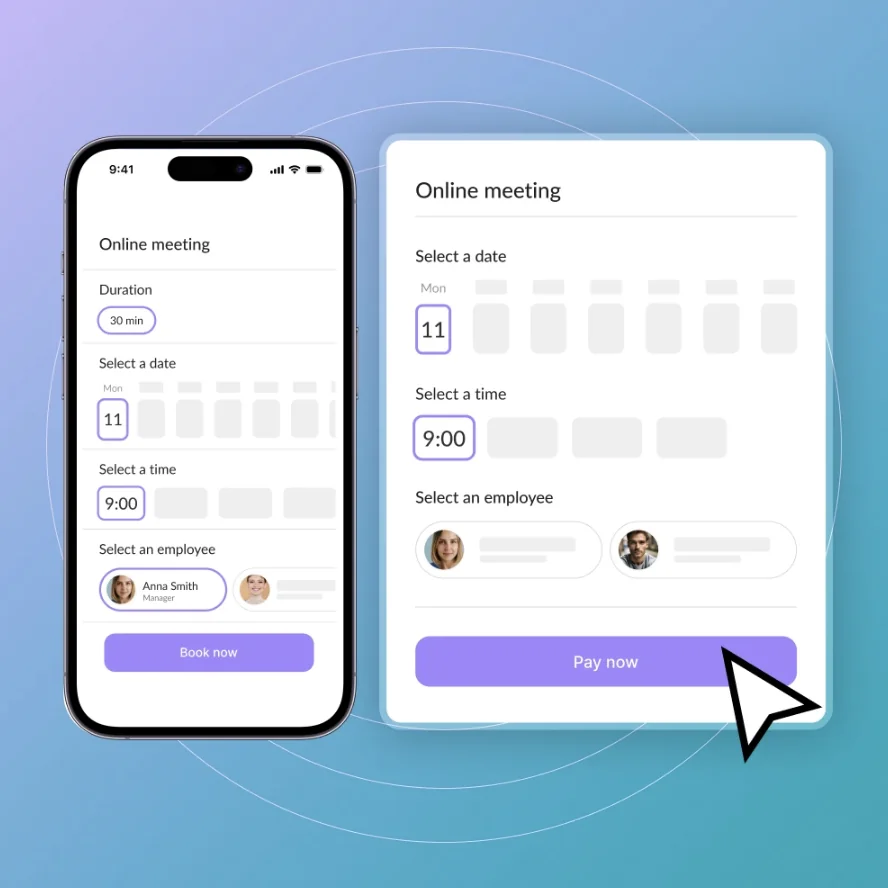
For businesses running multiple staff members with individual availability, Calendesk's resource management layer ensures that each provider's calendar operates independently while still feeding into the same unified system.
Timezone errors and remote scheduling
As more service businesses operate across geographic boundaries — coaching, consulting, telehealth, and online education in particular — timezone mismatches have become one of the most frustrating scheduling mistakes in the category.
The scenario is familiar: a coach based in Warsaw books a session with a client in New York. The coach sends a confirmation saying "Thursday at 10am." The client reads it as 10am their time. The coach means 10am their time. They are six hours apart. Neither realises the mismatch until one of them joins the call to an empty room.
The fix
The fix is automatic timezone detection and display at the point of booking. When a client books through a platform that identifies their local timezone and presents all available slots in that timezone automatically, the mismatch cannot occur. The confirmation email should display the appointment time in both the client's timezone and the provider's — removing any ambiguity from the record.
Calendesk handles timezone conversion automatically within its booking flow. For businesses operating internationally, this single feature eliminates one of the most common and most embarrassing scheduling failures entirely.
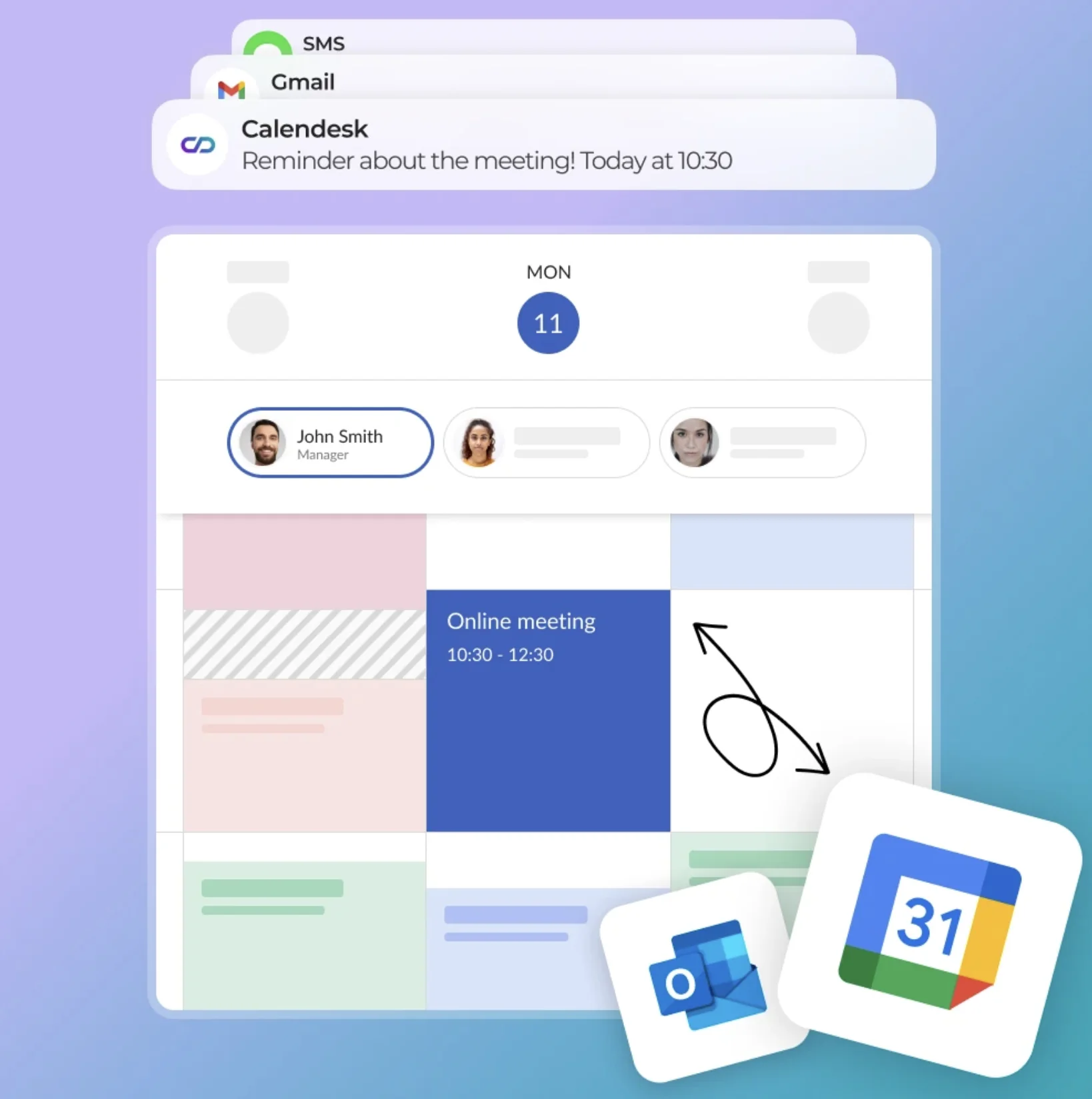
It is particularly valuable for service categories like therapy scheduling and legal consultations, where a missed session due to a timezone error carries real professional consequences.
The no-show problem and what actually prevents it
No-shows are often treated as a client behaviour problem — people who do not respect the booking. In reality, most no-shows are a communication problem. The client forgot, had a conflicting commitment that felt more urgent, or was never fully clear on the logistics. The appointment existed in the business's system but not firmly enough in the client's mental calendar.
The fix
The evidence on reminder effectiveness is consistent across industries. A single reminder sent 24 hours before an appointment reduces no-show rates. Two reminders — one at 24 hours and one at two hours — reduce them further. Three touchpoints produce the lowest achievable no-show baseline:
An immediate confirmation at the point of booking
A reminder 24 hours before the appointment
A same-day reminder two to three hours before
What those reminders contain matters as much as when they are sent. A reminder that includes the appointment time, the provider's name, the location or video link, a cancellation or reschedule option, and any preparation instructions the client needs gives the recipient everything required to either show up or manage the appointment responsibly. A reminder that says only "Your appointment is tomorrow" does considerably less work.
Calendesk's automated reminder system handles this sequence without manual intervention. Once a booking is confirmed, the reminder schedule triggers automatically based on configurable timing rules. The system runs the sequence regardless of how busy the week gets — which is precisely when manual reminder processes tend to break down.
For context on how this reduces no-shows specifically in high-volume environments, the 12 reasons why you need an online booking system article covers the mechanics in detail.
How to build a confirmation workflow that prevents mistakes
The confirmation step is where most scheduling errors either get caught or get sealed. A well-designed confirmation workflow does four things: it verifies booking details with the client, creates a shared record both parties can reference, establishes what happens if the appointment needs to change, and sets the stage for the reminder sequence that follows.
What most confirmations get wrong
Most businesses send a confirmation email. Fewer send one that contains all four of those elements. The typical confirmation reads like a receipt — date, time, location — with nothing else. That is better than nothing, but it leaves the client with no clear path if they need to reschedule, no preparation instructions if relevant, and no record of what they are expected to bring, do, or know before the appointment.
What a strong confirmation includes
A stronger confirmation structure covers:
Full booking summary including timezone
A clear reschedule or cancellation link with the policy stated plainly
Any intake forms or preparation steps the client needs to complete beforehand
Contact information in case something unexpected occurs
The reschedule link deserves specific attention. One of the most common sources of scheduling chaos is the client who cannot attend but does not know how to cancel easily, so they simply do not show up. A prominent, frictionless reschedule option converts a potential no-show into a rebooking. The slot opens back up for another client, the business loses nothing, and the original client appreciates the flexibility.
How Calendesk helps with that
Calendesk's confirmation system supports fully customisable email templates that include dynamic booking variables — client name, service type, provider name, location, timezone — alongside embedded reschedule and cancellation links. The cancellation policy can be displayed inline, which reduces disputes about late cancellation fees because the client agreed to the terms at the point of booking.
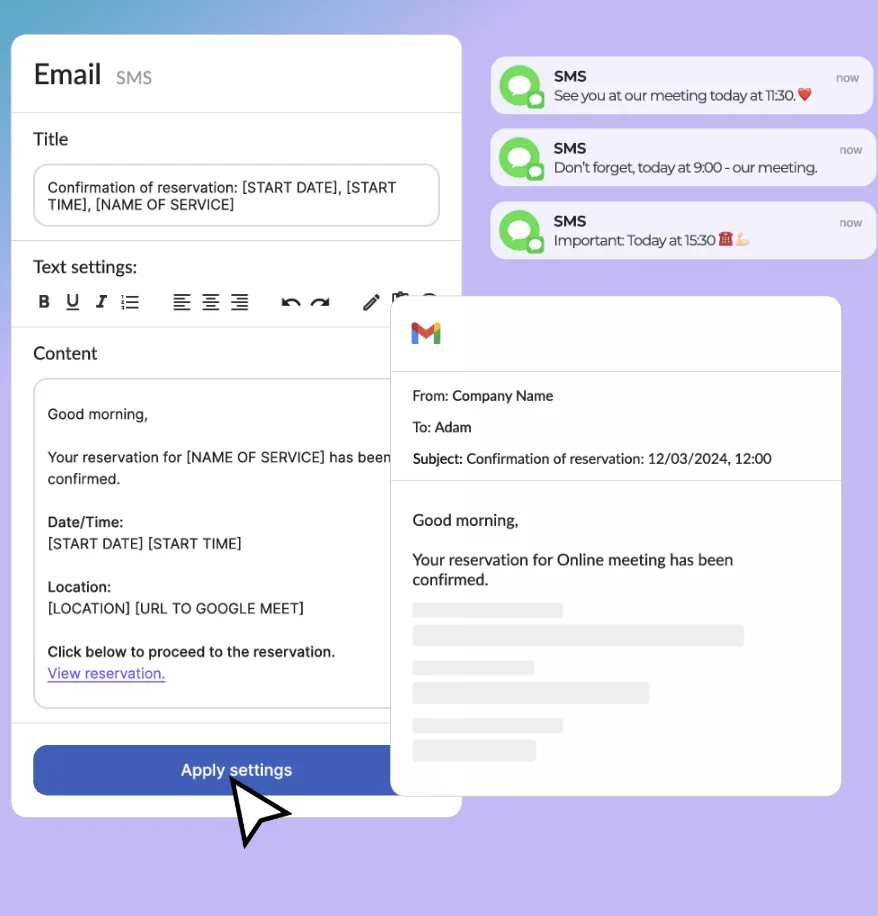
For businesses with intake requirements, Calendesk supports pre-appointment form collection within the booking flow. This removes the awkward manual follow-up where a receptionist emails a PDF and then chases the client to return it. The form is part of the booking process itself, and the appointment is not considered fully confirmed until it is submitted.
One underused element of strong confirmation workflows is the two-way reply option. Confirmation emails arriving from a no-reply address put the client in a passive position. Routing confirmations through a monitored address makes the communication feel like a relationship rather than an automated notification — a distinction that matters in service businesses where client trust is foundational.
Finally, every client-facing confirmation should also trigger an internal notification for the provider. Providers relying on their own memory or a shared wall calendar to prepare for appointments are working with an unreliable system. You can see how Calendesk structures these internal workflows in the effortless booking management guide.
Manual vs automated scheduling: a realistic comparison
Many small service businesses resist moving to automated scheduling because it feels impersonal or because the setup investment seems daunting. That resistance is worth examining honestly, because the comparison between manual and automated scheduling is rarely as close as it feels from inside the manual system.
What manual scheduling actually costs
Manual scheduling (phone bookings, email exchanges, paper diaries) offers flexibility and a personal touch at the point of booking. However, the true cost of that flexibility is time, error exposure, and availability constraints.
A manual system can only accept bookings when someone is available to process them. Outside business hours, on weekends, or during busy periods when staff are occupied — all of those windows close.
The "manual tax" calculation
To understand the financial leak, apply these metrics to your current workflow:
Factor | Metric (estimated) | Monthly impact |
|---|---|---|
Admin labor | 10 mins per booking (back-and-forth) | 100 bookings = ~17 hours lost |
After-hours loss | 40% of customers book after 6:00 PM | Potential 40% revenue ceiling |
No-show rate | Manual reminders are often forgotten | Average 15–20% missed appointments |
Outside business hours, on weekends, or during busy periods when staff are occupied — all of those windows close. In practice, that means missed intent in the exact moments people are ready to act, a pattern also seen in online models built around best affiliate marketing products, where timing often determines whether a conversion happens at all.
The opportunity cost formula
You can calculate your specific "Scheduling Debt" using this simple formula:

Where:
H: Hours spent on manual admin per month.
R: Hourly labor rate of the staff member.
A: Average number of missed after-hours inquiries.
V: Average booking value.
If an employee earning $25/hr spends just 1 hour a day managing a paper diary, and you miss just two $100 bookings a week because the phone wasn't answered, manual scheduling is costing you over $1,300 per month.
What automation actually delivers
Automated scheduling through a platform like Calendesk accepts bookings 24 hours a day without requiring staff involvement for the transaction itself. A client browsing your services at 11pm on a Sunday can book a Tuesday appointment, receive a confirmation, and be enrolled in a reminder sequence before anyone on your team starts their Monday.
In many cases, it functions similarly to an AI receptionist, handling intake, confirmations, and follow-ups without adding operational strain to the team.
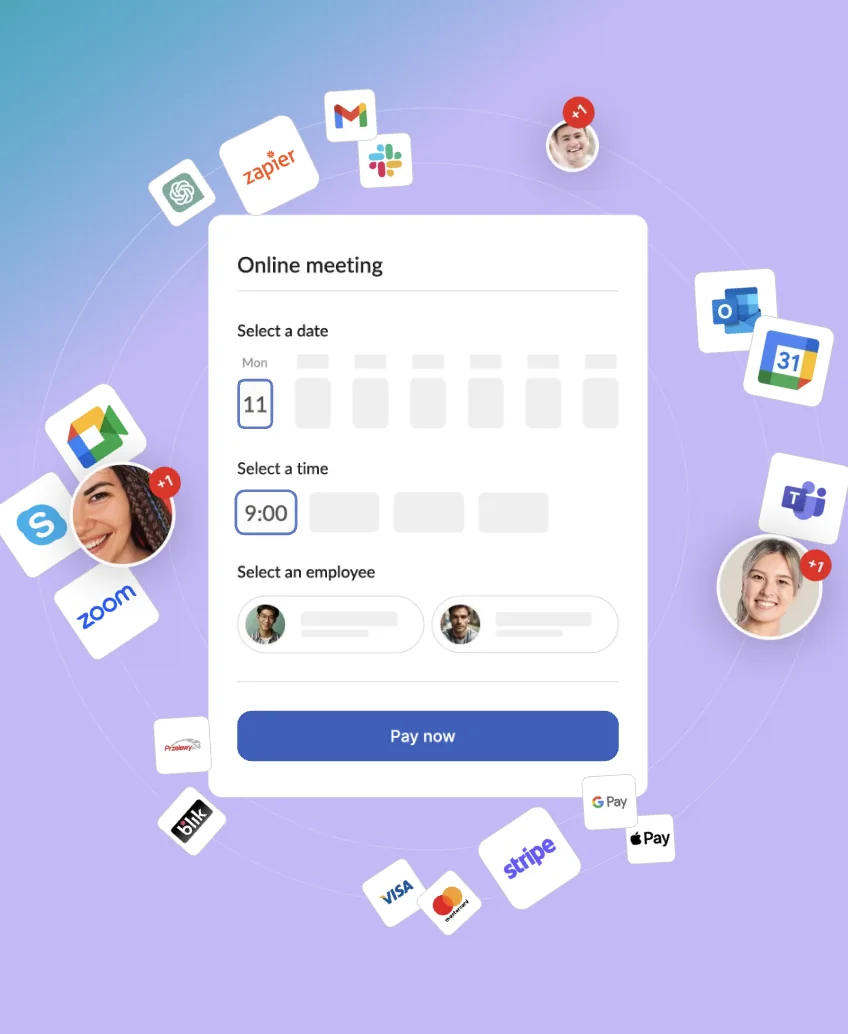
The impersonality concern is legitimate but manageable. Automated systems handle the transaction; the relationship lives in the service itself. Clients who receive a thoughtful, well-formatted confirmation with their provider's name and clear preparation instructions do not feel like they are dealing with a faceless machine — they feel organised and looked after.
The hybrid approach works well for businesses not ready to move fully to self-service booking. Calendesk supports staff-initiated bookings made on behalf of clients — a receptionist can create the booking manually through the dashboard — while still routing the client through the same automated confirmation and reminder workflow. This is relevant whether you run a personal training business, a dental practice, or a barbershop — the underlying principle holds across all of them. For a broader view of what features to prioritise when choosing your system, the top 10 must-have features for an online booking platform is worth reviewing before committing to any tool.
Handling last-minute cancellations without losing revenue
Last-minute cancellations are not exactly a scheduling mistake, but how a business responds to them determines whether the slot is recovered or lost entirely.
The waitlist mechanic
A waitlist function solves this directly. When a cancellation occurs, the system automatically notifies clients on the waitlist for that service and time window, offering them the newly opened slot. The first client to claim it takes the booking — with no staff involvement required.
The speed of this notification matters. A client who is available that afternoon needs to know about a same-day opening within minutes, not hours. Automated waitlist alerts sent immediately after cancellation recover slots that a manually managed waitlist would consistently miss.
Cancellation policy as revenue protection
The other revenue protection mechanism is a clear, consistently enforced cancellation policy. Policies communicated vaguely or only at the point of dispute create resentment and confusion. Policies stated clearly at booking, confirmed in the confirmation email, and applied consistently create accountability without conflict.
Businesses that combine this with structured offers — such as good-better-best pricing tiers for services or packages — often see higher commitment and fewer last-minute drop-offs.
This is a particularly acute issue for high-demand service businesses — a clear look at how this plays out in clinic environments is covered in the top clinic appointment scheduling software guide.
Key takeaways
Most scheduling mistakes stem from process gaps, not carelessness — fixing the system matters more than increasing attention
Double-bookings are almost always caused by disconnected booking channels; centralised calendars eliminate them
Timezone errors are entirely preventable with automatic timezone detection at the point of booking
Three-touchpoint reminder sequences — confirmation, 24-hour reminder, same-day reminder — produce the lowest achievable no-show rates
Confirmation emails should include a reschedule link, cancellation policy, and preparation instructions — not just date and time
Waitlist automation recovers cancelled slots faster than any manual process can
Calendesk handles centralised availability, multi-staff management, automated reminders, and timezone conversion within a single platform
Over to you
Appointment scheduling mistakes are expensive, preventable, and almost always traceable to a specific gap in the booking workflow. The businesses that eliminate these gaps do not do it through greater vigilance — they do it through better systems. Centralised availability, automated confirmations, structured reminder sequences, and clear cancellation policies are not luxuries for large operations; they are the baseline infrastructure that keeps a service business running without friction. Tools like Calendesk exist precisely to close the manual gaps where errors cluster — so that the operational side of your business stops costing you the clients your service quality deserves to keep.
FAQ
What is the most common appointment scheduling mistake service businesses make?
The most widespread mistake is relying on multiple disconnected booking channels without a centralised calendar. When clients can book through a website, phone, and a third-party platform simultaneously, and those channels do not share live availability, double-bookings become structurally inevitable. Centralising all booking channels to a single live calendar source eliminates this category of error entirely.
How many reminders should be sent before an appointment?
Three touchpoints produce the best results for most service categories: an immediate confirmation at the time of booking, a reminder 24 hours before the appointment, and a same-day reminder two to three hours before. Each reminder should include full appointment details and a clear reschedule or cancellation link. Businesses with high no-show rates often find that adding the cancellation link to reminders actually reduces no-shows because it gives clients a frictionless path to managing the appointment responsibly.
Does automated scheduling feel impersonal to clients?
Only if implemented carelessly. A well-configured automated booking system — with personalised confirmation emails, the provider's name, preparation instructions, and a clear communication path — creates a more organised and professional first impression than many manual booking processes. The relationship lives in the service itself; the booking infrastructure is the frame around it.
How should a business handle a client who repeatedly no-shows?
A clear policy stated at booking is the first line of defence. For repeat no-shows, most service businesses implement a deposit or prepayment requirement for future bookings. This works best when the policy is applied consistently and communicated transparently — not as a punishment but as a standard condition that applies to all clients in certain circumstances.
Is Calendesk suitable for solo practitioners or only larger businesses?
Calendesk is designed to scale across both. Solo practitioners benefit from the same core features — automated confirmations, reminders, online booking, timezone management — without needing multi-staff or resource management functionality. The appointment setter guide covers how solo operators specifically can use scheduling infrastructure to replace the need for a dedicated booking person entirely.