Calendaring for service businesses: how to manage bookings
 Maciej Cupiał
A client wants to book. Your team has the time. The service is available. Yet the appointment still turns into a five-message thread, a missed call, a double booking, or a “sorry, can we reschedule?” moment. That is the real problem calendaring should solve: not just putting events on a calendar, but helping people book the right service, with the right person, at the right time, without dragging your team into manual admin.
You’ll learn:
What calendaring means for service-based businesses
How calendaring differs from basic calendar management
Why manual scheduling creates hidden operational costs
Which calendaring features matter most for bookings, payments, and reminders
How calendaring supports customer experience across industries
When a business should move from Google Calendar or spreadsheets to booking software
How Calendesk helps businesses manage bookings, calendars, payments, and client communication
How to choose a calendaring setup that can grow with your business
What does calendaring mean?
Calendaring is the process of managing time, availability, bookings, meetings, appointments, and schedule changes in a structured way. For an individual, that may mean keeping a personal calendar organized. For a business, it means something much bigger.
Business calendaring connects available time slots, services, staff members, locations, payments, reminders, cancellations, and customer communication. It helps a client book an appointment without calling or waiting for a reply. It helps your team avoid double bookings. It also keeps everyone updated when something changes.
That is why calendaring matters most in appointment-based businesses. Clinics, consultants, tutors, coaches, beauty salons, wellness studios, legal firms, sales teams, and training providers all depend on time slots. When the calendar gets messy, revenue gets messy too.
A simple calendar shows when someone is busy. A strong calendaring system helps the business run.
Calendaring vs calendar management vs appointment scheduling
People often use these terms as if they mean the same thing. They overlap, but they are not identical.
Calendar management usually focuses on organizing events. Appointment scheduling focuses on booking meetings or services. Calendaring covers the wider system around time, availability, bookings, client actions, reminders, and operational rules.
Term | What it usually means | Best for | Limitation |
|---|---|---|---|
Calendar management | Organizing events, meetings, and availability | Personal productivity and internal planning | Does not always support customer bookings |
Appointment scheduling | Letting people book appointments | Service businesses, sales teams, consultations | Can stay too narrow if payments, reminders, and rescheduling are separate |
Calendaring | Managing the whole booking and availability system | Businesses with staff, services, clients, and changing schedules | Needs the right setup to avoid unnecessary complexity |
A business can use Google Calendar and still struggle with calendaring. Why? Because a calendar alone may not handle booking forms, online payments, SMS reminders, service rules, intake questions, staff permissions, or client rescheduling.
That is when teams usually start looking for software for booking appointments instead of relying on a plain calendar.
Why calendaring matters more than most businesses think
Poor calendaring looks small at first. One missed call. One client who forgets a visit. One team member who books over another appointment. One unpaid consultation. One customer who chooses a competitor because booking was easier there.
The issue is not one mistake. The issue is the pattern.
When booking depends on manual replies, the business loses speed. When staff availability sits in different calendars, the business loses control. When reminders are manual, no-shows increase. When payments happen after the appointment, revenue becomes harder to secure.
Good calendaring reduces these small leaks.
It helps clients book when they are ready, even outside business hours. It gives your team one clearer view of appointments. It reduces back-and-forth messages. It also makes the booking process feel more professional.
For many service businesses, the booking experience is part of the sale. If it feels slow, unclear, or unreliable, the client may assume the service works the same way.
The hidden costs of manual calendaring
Manual calendaring can feel harmless because it does not always show up as a direct expense. You may not see a software bill. You may not notice the cost of short calls, admin messages, and small corrections.
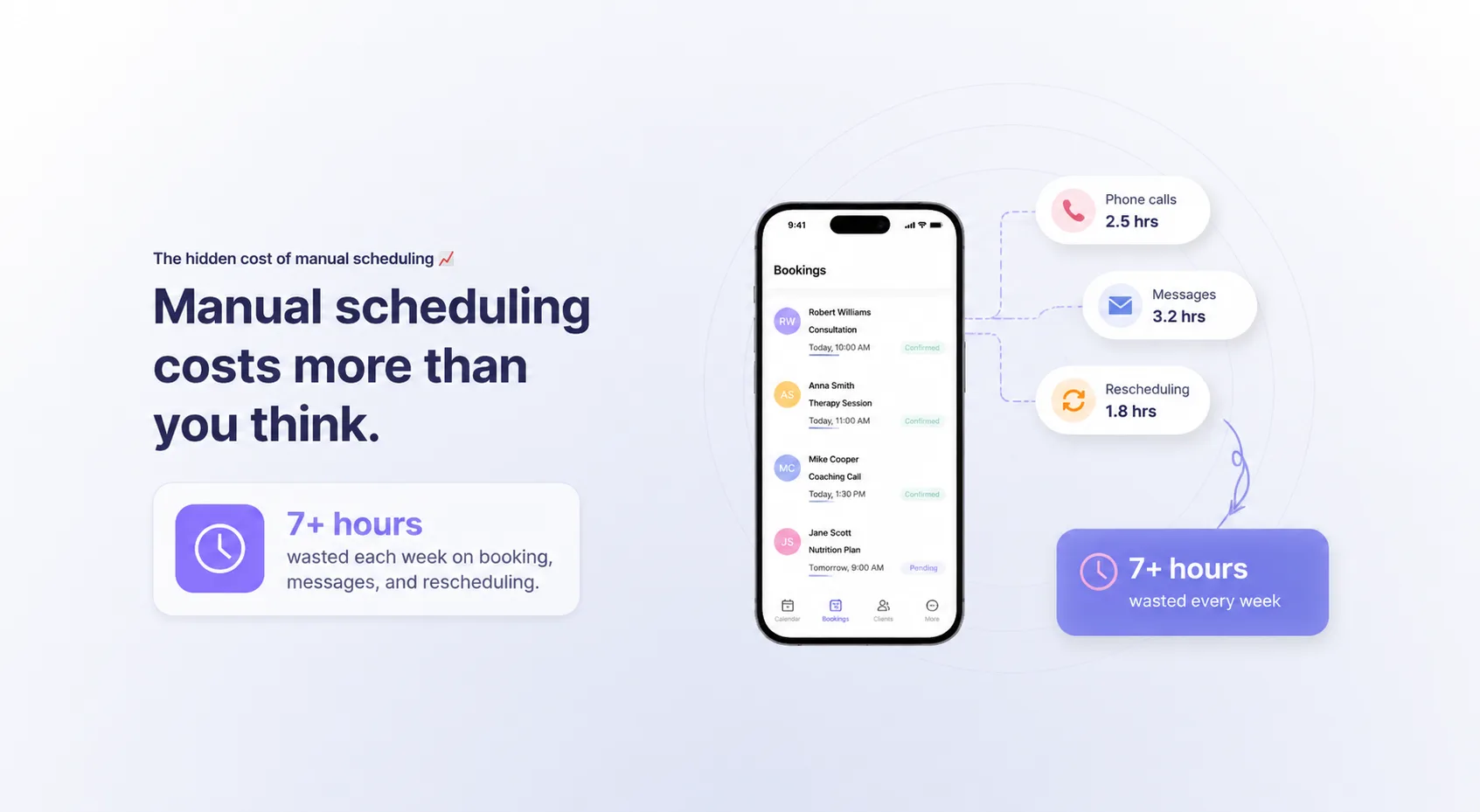
But those costs add up.
A receptionist who spends two hours a day confirming times is doing work that could often be automated. A consultant who sends five messages to book one call is losing focus. A clinic that handles rescheduling over the phone creates pressure during busy hours. A trainer who asks clients to pay later takes on extra payment follow-up.
The real cost sits in repeated effort.
Manual calendaring issue | What it causes | Business impact |
|---|---|---|
Booking over phone or email only | Slow response times | Fewer completed bookings |
No real-time availability | Double bookings or wrong slots | Team frustration and client confusion |
Manual reminders | Forgotten appointments | Higher no-show risk |
Separate payment process | Delayed or missed payments | More admin work |
No self-service rescheduling | More calls and messages | Less time for paid work |
No clear booking history | Poor follow-up | Weaker client relationships |
This is why many businesses eventually look for an online booking system for small business. The goal is not to “go digital” for the sake of it. The goal is to stop wasting paid working time on repetitive scheduling tasks.
What a good calendaring system should handle
A useful calendaring system should do more than show available hours. It should support how the business actually works.
For a solo consultant, that may mean simple booking links, calendar sync, payments, and reminders. For a clinic, it may mean multiple staff members, service categories, patient communication, consent forms, and privacy-sensitive data. For a tutoring business, it may mean group classes, recurring sessions, packages, and cancellations.
The best setup depends on the business model. Still, most appointment-based companies need the same core functions.
Real-time availability
Clients should see only the slots they can actually book. If a team member is unavailable, that time should not appear. If a meeting lands in Google Calendar or Outlook, the booking system should respect it.
Real-time availability prevents double bookings and reduces awkward “sorry, that time is no longer available” messages.
Online booking
Clients should be able to book without waiting for a reply. That does not mean every business must accept every booking automatically. Some services may still need approval. But the client should at least be able to request or reserve a time easily.
Automated reminders
Reminders reduce forgetfulness. They also make the business feel more organized.
Email and SMS reminders work especially well for appointments booked days or weeks in advance. They can include the time, location, meeting link, cancellation rules, payment information, or preparation notes.
Payments and prepayments
Some businesses need payment at the time of booking. Others use deposits, package credits, or subscriptions.
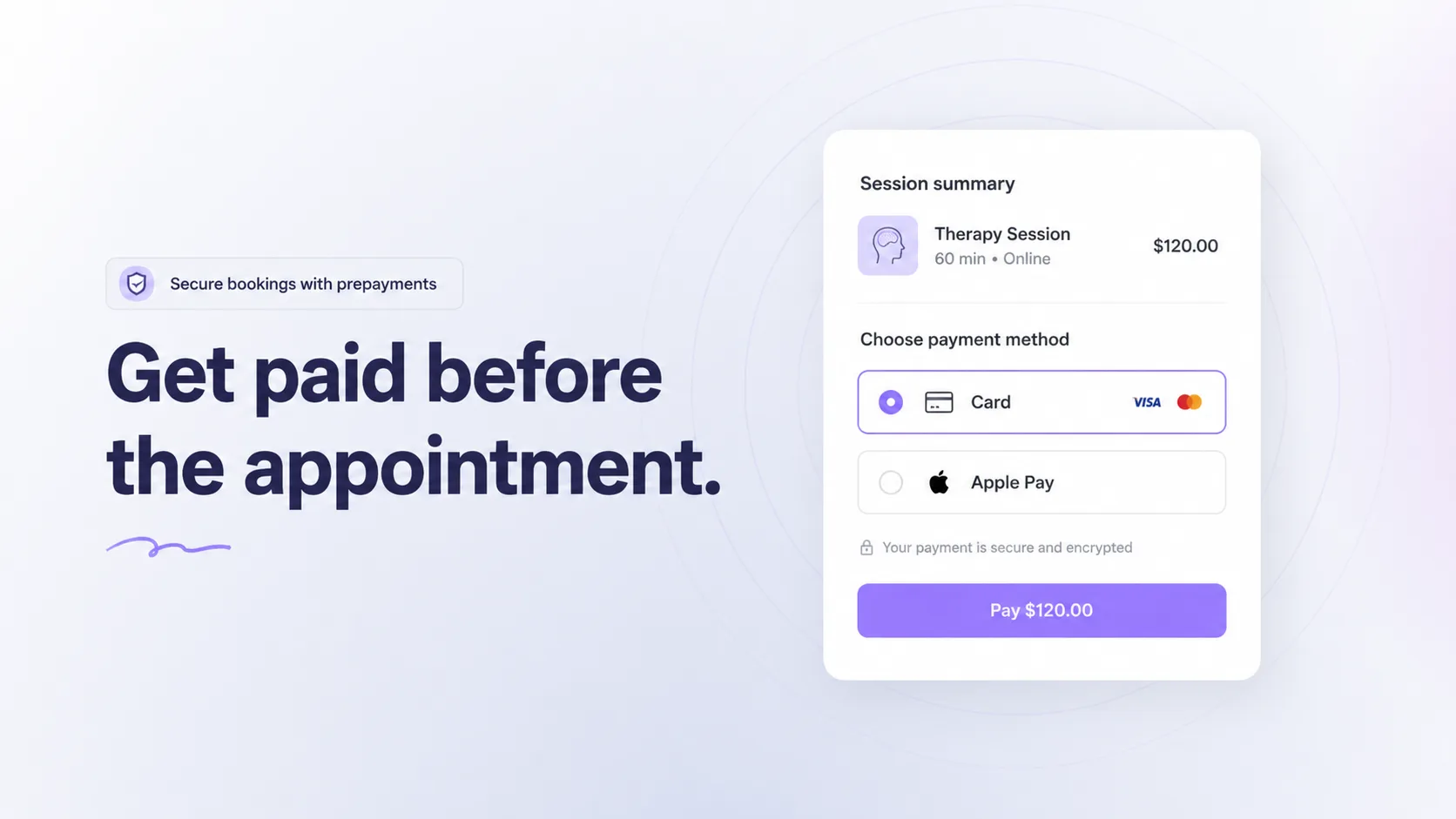
Prepayments work well when no-shows are costly. They also help secure serious bookings. A business that sells consultations, lessons, treatments, or classes can reduce admin work when clients pay inside the booking flow.
Rescheduling and cancellations
Clients sometimes need to change plans. If every reschedule requires a phone call, your team becomes the middleman for a simple action.
A better calendaring setup gives clients a controlled way to cancel or reschedule within your rules. That keeps the calendar cleaner and reduces inbox clutter.
Staff and resource management
Calendaring becomes more complex once you have multiple employees, rooms, equipment, or locations.
A massage studio may need to manage therapists and rooms. A legal firm may need different meeting types. A tutoring center may need teachers, classrooms, and online sessions. A clinic may need services that only certain specialists can provide.
The system should understand those constraints. Some service businesses also need to coordinate appointments around materials, equipment, or supplier availability. In that case, calendaring may sit close to operational tools.
Calendaring for different business models
Calendaring should match the way a business earns money. A sales team does not need the same setup as a psychology clinic. A fitness studio does not book time the same way as a law firm.
Business type | What calendaring must support | Useful setup |
|---|---|---|
Consultants | Discovery calls, paid sessions, time zones | Booking links, calendar sync, reminders, payments |
Clinics | Specialists, patient bookings, sensitive data | Staff calendars, reminders, secure booking forms |
Tutors and educators | Lessons, group classes, recurring sessions | Class booking, packages, online payments |
Beauty and wellness | Services, staff, rooms, deposits | Service menus, prepayments, cancellation rules |
Legal firms | Consultations, deadlines, client meetings | Availability rules, secure client intake, reminders |
Fitness businesses | Classes, memberships, sessions | Passes, subscriptions, attendance control |
Sales teams | Demo calls and qualification | Booking pages, routing, CRM or automation links |
A legal team may care most about deadline discipline and structured client meetings. A wellness business may care more about reducing no-shows.
A tutor may need recurring lessons and student self-service. A sales team may need demo booking and lead routing. A nonprofit may need to schedule charity events, coordinate donations, and connect its booking process with fundraising tools. Organizations comparing fundraising platforms can also explore OneCause alternatives to find options that better fit their event and donation workflows.
This is why “just use a calendar” stops working. The calendar is only one piece. The business needs a booking logic behind it.
For industry-specific needs, pages such as online booking system for psychologists show how calendaring changes when the appointment context is sensitive, recurring, and client-focused.
Calendaring for customer experience
Calendaring is often treated as an internal process. But customers experience it directly.
A client does not care how many internal tools you use. They care whether booking is easy, the confirmation arrives, the reminder is clear, the payment works, and the meeting link is correct.
A good calendaring flow answers the client’s silent questions:
Can I book now?
Do I know what I am booking?
Do I understand the price?
Can I choose the right person?
Will I get a reminder?
Can I change the appointment if needed?
If the answer is yes, the client feels in control. If the answer is no, the client may hesitate.
This matters because many bookings happen outside working hours. In Calendesk’s own booking data, 53.5% of appointments booked by clients themselves are created outside 9-to-5 weekday hours, and one in five lands between 8:00 PM and 6:00 AM (116,000 client bookings across nearly 300 service businesses, August 2025 to July 2026).
Someone may look for a therapist in the evening, book a consultation after comparing options, or reserve a class on the weekend. If your business requires a phone call during office hours, you add friction at the exact moment the client is ready.
That is why an online booking platform should support the customer journey, not only the internal schedule.
When Google Calendar is enough, and when it is not
Google Calendar, Outlook, and similar tools are useful. Many businesses should keep using them. The problem starts when they become the whole booking system.
A calendar is enough when you manage your own time, book a small number of meetings, and do not need payments, service rules, reminders, or client self-service.
It becomes limiting when clients need to book directly, staff availability changes often, or multiple services have different rules.
Situation | Basic calendar is enough | Calendaring software makes more sense |
|---|---|---|
Solo internal planning | Yes | Not always necessary |
Occasional client calls | Usually | Useful if calls increase |
Paid appointments | Limited | Yes |
Multiple staff members | Risky | Yes |
Online booking from website | No | Yes |
Automated reminders | Limited | Yes |
Deposits or prepayments | No | Yes |
Client rescheduling | Manual | Yes |
Booking reports | Limited | Yes |
If your team constantly checks calendars before confirming a booking, you probably need a better setup. If customers ask the same availability questions over and over, you probably need a public booking flow.
How Calendesk supports business calendaring
Calendesk is designed for businesses that need more than a simple calendar. It combines online booking, calendar management, client communication, payments, subscriptions, and website tools in one system.
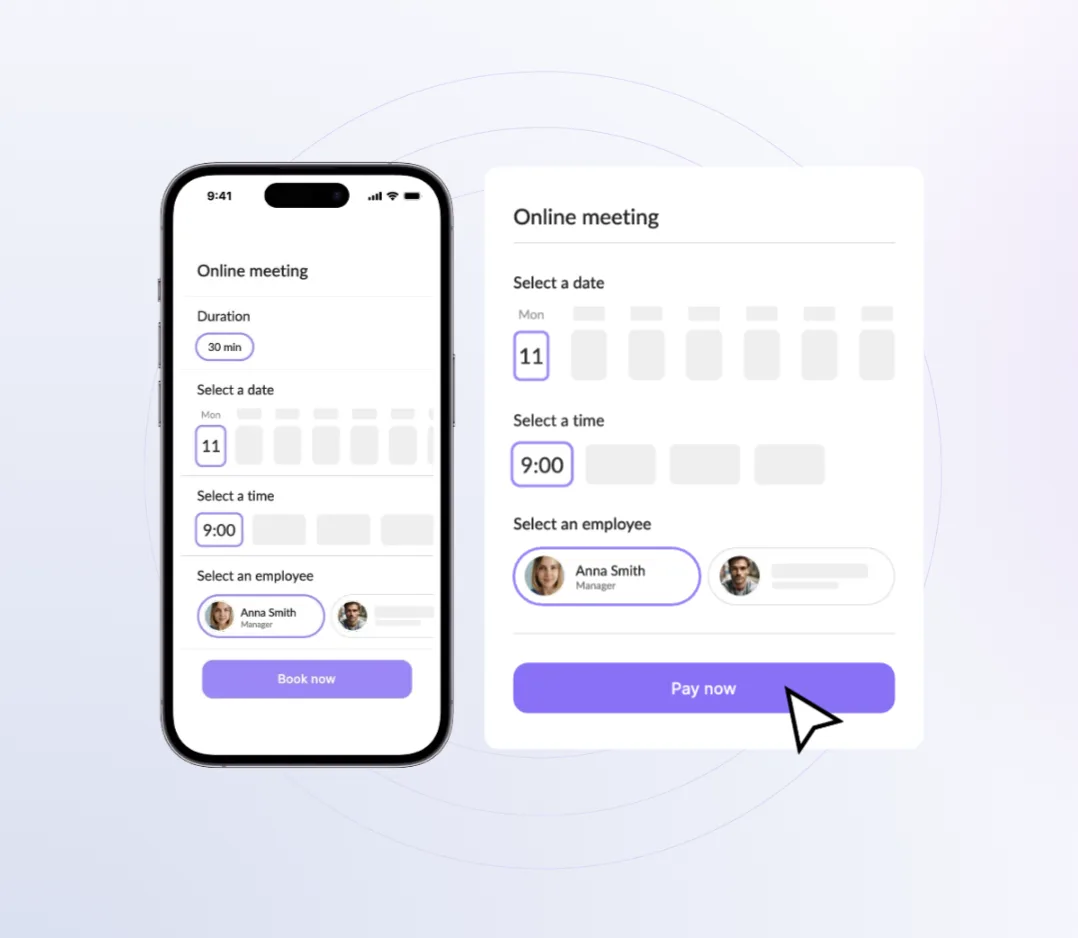
That makes it useful for service businesses that want clients to book appointments online, while the team keeps control over availability, services, staff, and booking rules.
With Calendesk, businesses can create booking pages, connect calendars, accept payments, send reminders, manage client data, and let customers book at convenient times. The platform also supports integrations with tools such as Google Calendar, Outlook, Google Meet, Microsoft Teams, Zapier, and Google Analytics.
This matters because calendaring usually breaks when too many pieces live in separate places. The calendar sits in one app. Payments happen elsewhere. Reminders depend on a person. The website uses a contact form. Client data sits in a spreadsheet.
Calendesk helps bring those pieces closer together.
A business can use it to manage availability, services, employees, bookings, payments, and communication without building a custom system from scratch. Teams that need more technical flexibility can also explore an appointment booking API for custom booking flows.
What to look for in calendaring software
Choosing calendaring software should start with your booking process, not the feature list.
Before comparing tools, map how bookings happen now. Where do clients come from? What do they need to choose? Who confirms the appointment? When do they pay? What reminders do they receive? What happens when they cancel?
Once you understand the flow, evaluate software against practical needs.
Feature | Why it matters | Question to ask |
|---|---|---|
Online booking page | Lets clients book without manual contact | Can clients book the right service easily? |
Calendar sync | Prevents schedule conflicts | Does it work with the calendars your team already uses? |
Staff management | Supports teams and service assignment | Can each employee manage their availability? |
Automated reminders | Reduces no-shows | Can you send email and SMS reminders? |
Payments | Secures revenue earlier | Can clients pay during booking? |
Subscriptions or packages | Supports recurring revenue | Can clients use passes, memberships, or prepaid sessions? |
Rescheduling rules | Reduces admin | Can clients change bookings within your limits? |
Integrations | Connects the booking process with other tools | Does it work with your CRM, analytics, or automation stack? |
Reporting | Helps improve operations | Can you see booking trends and performance? |
Payments, deposits, and subscriptions in calendaring
Payments are often the missing piece in calendaring. A client books a slot, but payment happens later. Then your team has to follow up, issue invoices, check transfers, or chase unpaid appointments.
That setup may work for low-volume businesses. It becomes painful when booking volume grows.
Prepayments make sense when you want to reduce no-shows, protect high-value time slots, or confirm commitment before the appointment. Deposits work well for services where the full price depends on the visit. Subscriptions and passes work well for recurring services, such as coaching, classes, therapy, or training.
Calendaring software should support different payment models because not every service sells the same way.
A one-off legal consultation may need payment before confirmation. A fitness studio may sell monthly memberships. A language tutor may sell a package of ten lessons. A dietitian may sell a program with recurring sessions.
If you need this kind of setup, start with how to set up prepayments for bookings and then consider whether packages or memberships belong in your offer.
Calendaring and no-shows
No-shows are not only annoying. They block revenue.
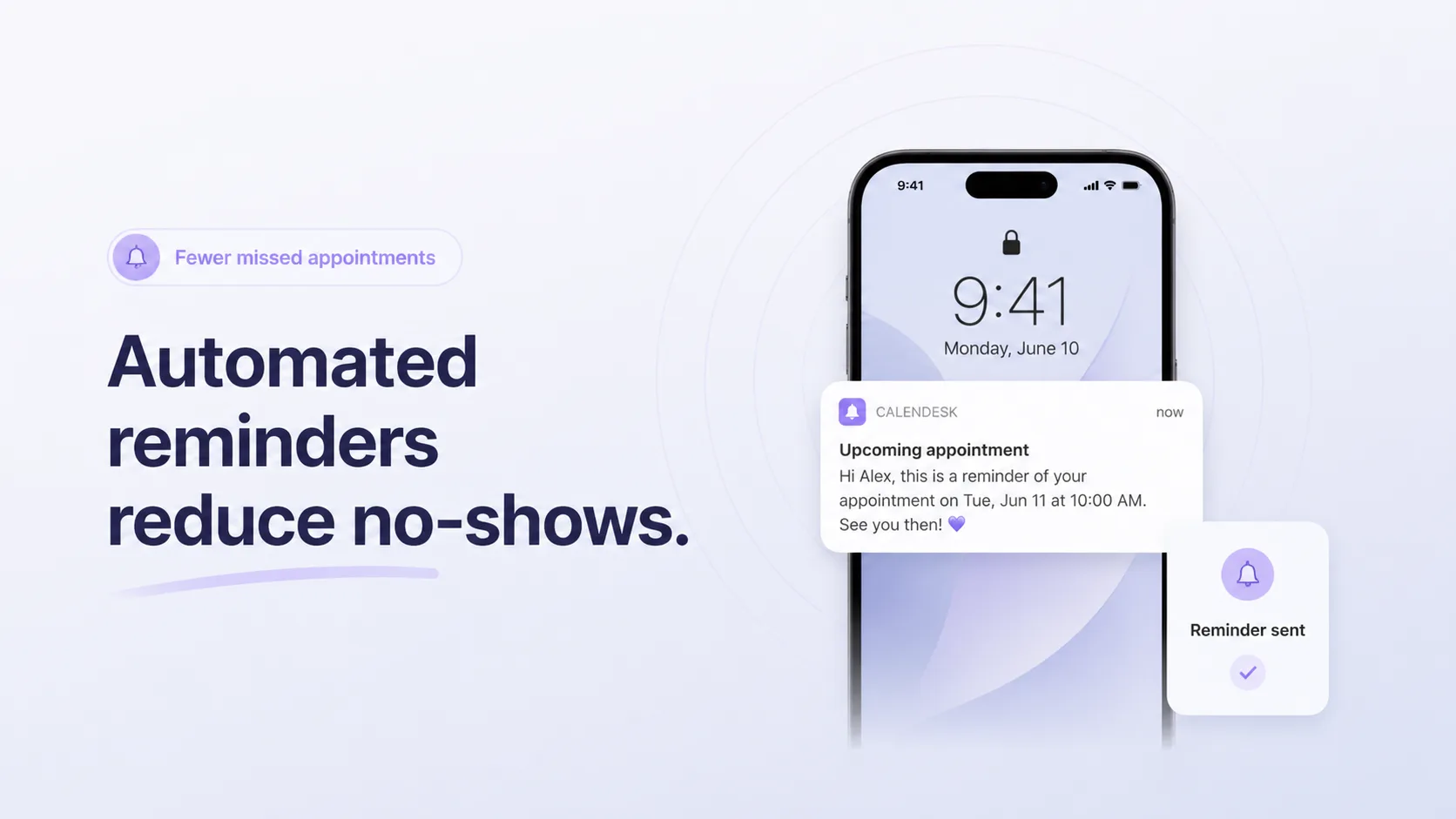
A missed appointment can mean an empty chair, an unused consultation slot, a wasted room, or a specialist waiting for someone who forgot. If the business could have sold that time to another client, the cost becomes clear.
Calendaring can reduce no-shows in a few ways.
First, automated reminders keep the appointment visible. Second, prepayments create commitment. Third, self-service rescheduling gives clients a way to change plans before the time slot goes to waste. Fourth, clearer booking confirmations reduce misunderstandings.
The best setup depends on the business. A clinic may need SMS reminders, a consultant may prefer email reminders with a meeting link, a salon may need deposits, and a tutoring business may need cancellation rules for recurring lessons.
You do not need a harsh policy to reduce no-shows. You need a booking process that makes the appointment easy to remember, easy to manage, and harder to ignore.
Calendaring for teams
Team calendaring introduces extra complexity. You are no longer managing time. You are managing people, services, availability, permissions, and sometimes physical resources.
A team setup should answer:
Who can provide this service?
When are they available?
Can clients choose a staff member?
Should bookings rotate between employees?
Are some services online and others in person?
Do certain appointments need a specific room?
Who can edit, cancel, or view bookings?
Without clear rules, team calendars become fragile. One employee updates their personal calendar but not the booking system. Another forgets to block time off. A client books a service with the wrong specialist. The team fixes issues manually, and the admin load grows again.
A stronger setup gives each employee clear availability while keeping the business in control. It also helps managers see the booking load across the team. If your team already feels that pressure, a dedicated scheduling tool built for businesses will serve you better than a personal calendar forced into a business workflow.
Calendaring for websites
A booking page is useful. A website with booking built in is stronger.
When booking lives directly on your website, clients do not need to leave the buying journey. They can read about the service, check availability, select a time, pay if needed, and receive confirmation.
That flow matters. Every extra step creates a chance to lose the client.
A website-based booking system also helps you connect content with conversion. A therapist can explain their services and let clients book from the same page. A tutor can show lesson types and available times. A consultant can describe packages and route clients to the right session.
If you already have a website, look at how to integrate booking into it. If you do not, consider a system that includes both website and booking functions. Calendesk supports this kind of setup, so businesses can create booking pages and a web presence without stitching together too many tools. For a step-by-step path, see the guide to building a website with a booking system.
Calendaring and integrations
Calendaring should not become another isolated tool. It should connect with the systems your business already uses.
Calendar integrations help prevent double bookings. Video meeting integrations help create online meeting links. Payment integrations help secure revenue. Automation integrations can send booking data into spreadsheets, CRMs, email tools, or team notifications. Analytics integrations help you understand where bookings come from.
For example, a new booking could trigger a Slack message, update a Google Sheet, create a task, or start a follow-up sequence. That reduces manual work and keeps data cleaner.
This is where tools like Zapier can help. If your booking process touches several apps, an integration can keep the handoff consistent and booking data moving into the systems that need it.
Calendaring for specific industries
The word calendaring sounds broad, but the needs become specific fast.
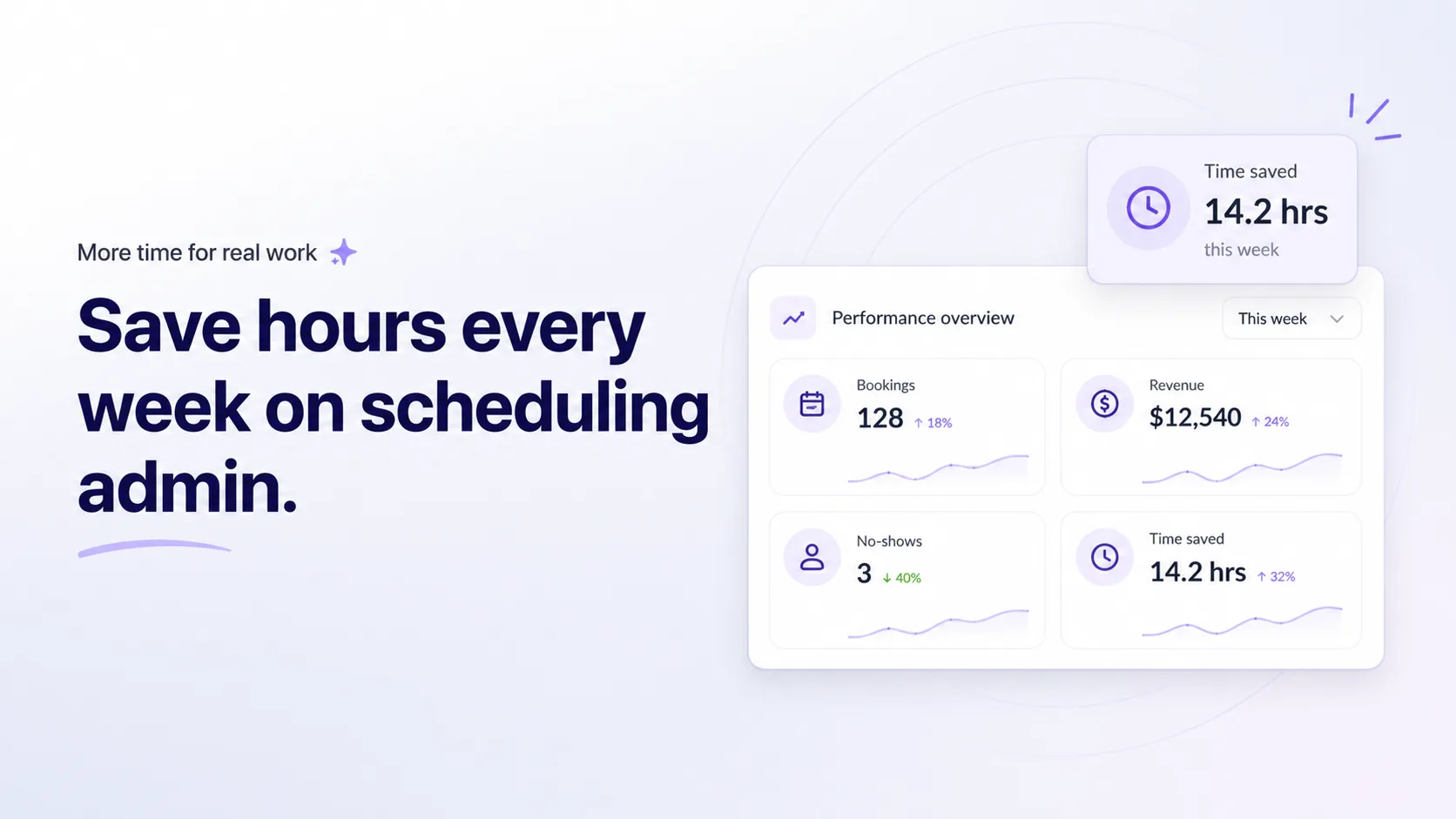
A psychologist may need privacy-conscious booking, reminders, and recurring appointments. A lawyer may need consultation booking and deadline discipline. A fitness coach may need classes, passes, and memberships.
That is why industry fit matters.
A generic calendar can show time. A business-ready calendaring setup should understand the type of appointment, the client journey, and the operational risk.
For example, legal businesses often need a stricter approach because appointments may connect with deadlines, case details, or client expectations. In that context, calendaring software for law firms has a different role than a simple booking link.
For sales teams, the focus sits closer to speed and conversion. A clear flow for scheduling sales meetings online helps prospects book while their interest is still fresh, especially when meetings come from outbound channels like cold email.
For education businesses, the need may involve classes, student limits, and flexible self-service. In that case, an online class booking system can be more useful than a meeting scheduler.
When should you upgrade your calendaring process?
You do not need advanced calendaring software on day one. But you should upgrade when the current system starts creating friction for clients or admin for the team.
Here are signs that the old process is no longer enough:
Clients ask for available times over and over
Your team confirms bookings manually
Double bookings happen
People miss appointments because reminders are inconsistent
Payments require manual follow-up
Cancellations and rescheduling create too many messages
Staff availability is hard to manage
Bookings happen across several tools with no clear source of truth
You cannot tell which services, times, or staff members drive demand
At that stage, the calendar is no longer just a productivity tool. It is part of the revenue system.
Calendaring checklist for service businesses
Use this checklist before changing your setup or choosing software.
Area | What to check | Why it matters |
|---|---|---|
Services | Are all bookable services clear? | Clients need to know what they are booking |
Availability | Are available slots accurate? | Prevents conflicts and manual corrections |
Staff | Are employees connected to the right services? | Avoids wrong assignments |
Payments | Do you need deposits, full payment, or subscriptions? | Reduces unpaid bookings |
Reminders | Do clients receive timely confirmations and reminders? | Lowers no-shows |
Rescheduling | Can clients change bookings within rules? | Reduces admin messages |
Website | Can clients book from service pages? | Improves conversion |
Integrations | Does booking data reach the right tools? | Prevents disconnected workflows |
Reporting | Can you see booking trends? | Helps improve operations |
Key takeaways
Calendaring is more than putting events on a calendar. For service businesses, it connects availability, bookings, staff, payments, reminders, and client communication.
Manual calendaring creates hidden costs through repeated admin, missed calls, double bookings, no-shows, and payment follow-up.
A basic calendar works for personal planning, but appointment-based businesses usually need booking rules, client self-service, reminders, and payments.
Strong calendaring improves customer experience because clients can book, pay, reschedule, and receive reminders without unnecessary back-and-forth.
Calendesk supports business calendaring through online booking, calendar management, payments, subscriptions, reminders, integrations, and website tools.
The right calendaring setup depends on your business model, team size, service types, and booking volume.
The best time to upgrade is when scheduling starts costing your team time or costing the business completed bookings.
Conclusion
Calendaring sounds simple until your business depends on appointments. Then every missed reminder, double booking, unpaid slot, and manual message becomes part of the cost.
A better calendaring process gives clients an easier way to book and gives your team a cleaner way to manage time. It also protects revenue because appointments no longer depend on scattered messages, memory, or manual follow-up.
If your calendar only shows when you are busy, it may not be enough anymore. A business-ready calendaring setup should help clients take action, keep your team organized, and turn available time into booked work.
Want to see how this works in practice? Create a free 14-day Calendesk account, set up your first booking page, and let clients book while you work.
FAQ
What is calendaring in business?
Calendaring in business means managing availability, appointments, bookings, staff schedules, reminders, cancellations, and related workflows. It is more than adding meetings to a calendar. For service businesses, calendaring directly affects revenue and customer experience.
Is calendaring the same as appointment scheduling?
Not exactly. Appointment scheduling focuses on booking a time slot. Calendaring covers the wider system around availability, booking rules, staff, payments, reminders, rescheduling, and calendar sync.
Can I use Google Calendar for business calendaring?
Yes, Google Calendar can work for simple scheduling and internal planning. It becomes limited when clients need to book online, pay during booking, receive automated reminders, or manage appointments themselves. Many businesses keep Google Calendar but connect it to a booking system.
What features should calendaring software include?
Useful calendaring software should include online booking, calendar sync, service setup, staff availability, reminders, payments, cancellation rules, and integrations. Businesses with recurring clients may also need subscriptions, packages, or passes.
How does calendaring reduce no-shows?
Calendaring reduces no-shows through automated reminders, clearer confirmations, prepayments, and easier rescheduling. When clients receive the right information at the right time, they are less likely to forget or miss the appointment.
Why is calendaring important for service businesses?
Service businesses sell time, expertise, and availability. If the booking process is slow or unclear, clients may not complete the booking. Strong calendaring helps turn interest into confirmed appointments while reducing admin work.
Does Calendesk support payments and subscriptions?
Yes. Calendesk supports online bookings, payments, prepayments, passes, and subscriptions, depending on the setup you choose. This helps businesses collect payment earlier and manage recurring services more easily.
When should a business upgrade from manual scheduling?
Upgrade when scheduling starts creating repeated admin, missed appointments, double bookings, unpaid reservations, or customer frustration. If your team spends too much time coordinating appointments manually, calendaring software can usually reduce that workload.